Running a business usually means juggling more tools than you expected. One app handles team messages, another tracks projects, another stores files, and somehow there is still a spreadsheet doing work that no one remembers setting up.
The right business apps can make daily operations much easier. They help teams communicate, organize tasks, manage customers, automate repetitive work, and keep important information in one place. The challenge is not finding apps—it is choosing the ones that actually fit your business instead of adding more clutter.
In this guide, we’ll look at some of the best business apps for communication, productivity, project management, finance, marketing, and more. You’ll also learn what to consider before adding a new tool to your workflow.
What Are Business Apps?
Business apps are tools designed to help companies handle specific tasks more efficiently. They can support everything from team communication and project planning to accounting, customer management, file sharing, and automation.
Some business apps are built for one clear purpose, such as tracking expenses or scheduling meetings. Others combine several functions in one platform, giving teams a shared place to communicate, store information, assign work, and monitor progress.
These tools can take different forms. Some are mobile apps, some are desktop programs, and many are cloud-based platforms that employees can access from anywhere. What matters most is not the format, but whether the app solves a real business problem and fits naturally into the way the team already works.
A good business app should reduce friction, save time, and make information easier to find. A bad one usually adds another login, another notification stream, and another tool the team barely uses.
Best Business Apps by Category
There is no single business app that works for every company. A small creative team may need flexible communication and content tools, while a growing sales team may care more about customer tracking, automation, and reporting.
The easiest way to narrow down your options is to start with the task you want to improve. Below, we have grouped the best business apps by their primary use cases, beginning with communication and collaboration.
Communication and Team Collaboration Apps
Slack
Slack is built around channels, direct messages, threads, and integrations, making it a practical choice for teams that want to move everyday communication out of email. Teams can also start audio or video huddles inside a channel or direct message, share screens, and keep related notes in the same conversation.
Best for: Teams that rely heavily on quick messaging and app integrations.
Key strengths: Organized channels, searchable conversations, workflow automation, and a large integration ecosystem.
Keep in mind: Slack can become noisy when teams create too many channels or use it without clear communication rules.

Microsoft Teams
Microsoft Teams combines chat, channels, video meetings, calls, file sharing, and collaboration tools in one workspace. It is especially convenient for companies already using Microsoft 365, since shared files can connect with tools such as SharePoint and OneDrive.
Best for: Businesses already working with Microsoft 365.
Key strengths: Meetings, internal messaging, document collaboration, access controls, and close integration with Microsoft’s business software.
Keep in mind: Teams can feel feature-heavy for smaller businesses that only need basic chat and video calls.
Beincom
Beincom is a community-focused platform designed for group communication, content sharing, and member engagement. Its community structure allows users to create topic-based groups and organize members into smaller inner circles, while its chat tools support private messages and group conversations.
Best for: Brands, creators, organizations, and interest-based communities that want conversations and community activity in one space.
Key strengths: Community organization, group and private chat, member engagement features, content formats, and Web3-based participation.
Keep in mind: Beincom is more community-oriented than a traditional workplace suite, so it may work best alongside specialized tools for accounting, CRM, or project management.

Learn more about Beincom at: Beincom – The best free online community platforms
Zoom
Zoom has expanded beyond video meetings into a broader workplace platform that includes messaging, phone, documents, and collaboration tools. Zoom Chat supports instant messaging and channels, while Zoom Meetings remains useful for calls, presentations, client discussions, and remote teamwork.
Best for: Remote and hybrid teams that rely heavily on meetings and video communication.
Key strengths: Video conferencing, instant messaging, screen sharing, external collaboration, and meeting-related workflows.
Keep in mind: Teams that mainly need asynchronous project tracking may still require a separate task management app.
Project and Task Management Apps
Asana
Asana helps teams plan projects, assign responsibilities, set deadlines, and track work from start to finish. Teams can organize tasks in list, board, timeline, and calendar-style views, while larger organizations can connect individual projects to broader goals and workflows.
Best for: Teams that need structured project planning and clear ownership.
Key strengths: Task dependencies, multiple project views, workflow automation, goals, reporting, and cross-team visibility.
Keep in mind: Asana can take time to configure well, especially when different teams use their own project structures.
Trello
Trello uses a simple system of boards, lists, and cards to show how work moves through a process. Its visual layout makes it easy to understand at a glance, whether a team is managing a content calendar, product backlog, hiring pipeline, or personal to-do list.
Best for: Small teams and straightforward workflows that benefit from visual task tracking.
Key strengths: Easy setup, flexible Kanban boards, templates, checklists, and a low learning curve.
Keep in mind: Trello may feel limited once projects require detailed reporting, complex dependencies, or resource planning.
ClickUp
ClickUp brings project management, tasks, chat, documents, whiteboards, time tracking, dashboards, and automation into one workspace. It is highly customizable, which makes it useful for teams that want to replace several separate productivity tools with one platform.
Best for: Teams that want an all-in-one, highly configurable work management platform.
Key strengths: Custom views, time tracking, Docs connected to tasks, dashboards, automations, and support for different project methods.
Keep in mind: The large feature set can feel overwhelming, particularly for teams that only need basic task management.
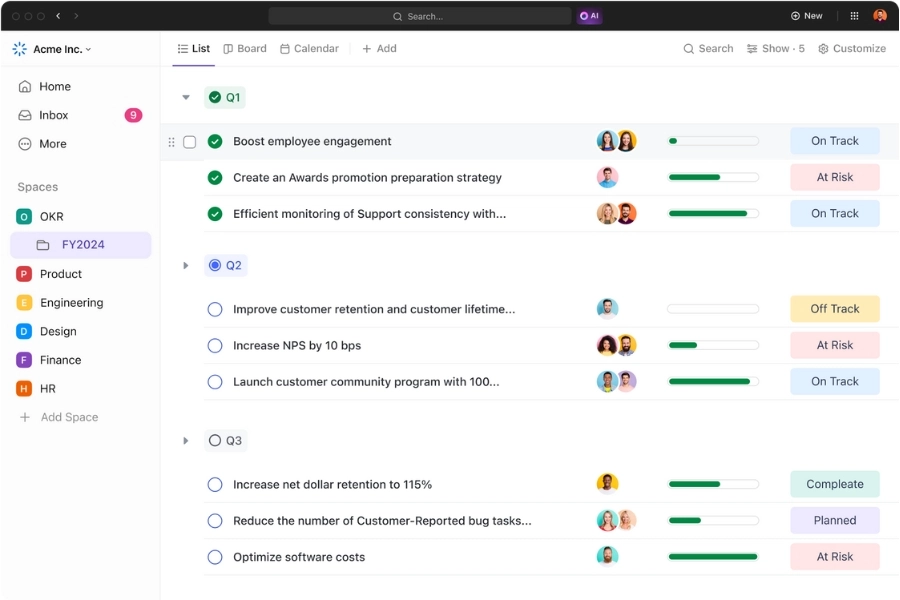
monday.com
monday.com is a flexible work management platform that helps teams plan projects, monitor timelines, and track progress through visual boards and dashboards. It supports views such as Kanban, calendar, timeline, workload, and Gantt charts, which can be adapted to different teams and workflows.
Best for: Growing teams that want visual project tracking and customizable workflows.
Key strengths: Flexible boards, dashboards, automations, project views, workload planning, and progress reporting.
Keep in mind: Pricing and setup can become more complex as teams add users, advanced views, and automation requirements.
Learn more: Best Free Project Management Tools to Keep Your Team on Track
Productivity and Workspace Apps
Notion
Notion combines documents, wikis, databases, project tracking, calendars, and AI tools in one flexible workspace. Teams can use it to build an internal knowledge base, document processes, plan content, manage projects, or create custom systems around their own workflows.
Best for: Teams that want a flexible space for documentation, planning, and knowledge sharing.
Key strengths: Custom pages and databases, team wikis, templates, connected documents, project tracking, and built-in AI features.
Keep in mind: Notion’s flexibility can become a drawback when teams build overly complicated systems without clear rules or ownership.
Google Workspace
Google Workspace brings together Gmail, Drive, Docs, Sheets, Slides, Meet, Calendar, and other cloud-based tools. Its biggest advantage is real-time collaboration, allowing multiple people to work on the same file from different devices without constantly sending updated versions back and forth.
Best for: Businesses that want straightforward cloud collaboration and familiar productivity tools.
Key strengths: Real-time document editing, business email, cloud storage, video meetings, version history, and easy file sharing.
Keep in mind: Managing folders, permissions, and shared drives can become messy as the amount of company content grows.

Microsoft 365
Microsoft 365 includes familiar business apps such as Word, Excel, PowerPoint, Outlook, OneDrive, and SharePoint, alongside communication and administration tools. It is particularly useful for companies that need advanced spreadsheets, documents, email, and security capabilities within one ecosystem.
Best for: Businesses that rely heavily on Office files and need stronger administrative controls.
Key strengths: Professional email, desktop and cloud productivity apps, file storage, document collaboration, security controls, and scalable account management.
Keep in mind: Features vary significantly between plans, so businesses should check which desktop apps, security tools, and collaboration features are actually included.
Evernote
Evernote is primarily a note-taking and personal organization app, but it can also help professionals manage ideas, meeting notes, documents, schedules, and task lists. Its search, web-clipping, and AI-assisted features make it useful for collecting information from different sources and finding it again later.
Best for: Individuals and small teams that need a central place for notes, research, and personal task organization.
Key strengths: Note organization, web clipping, task lists, document capture, search, calendar connections, and AI-assisted note features.
Keep in mind: Evernote is less suitable as a complete team workspace or project management system, especially for businesses that need structured workflows and detailed reporting.
Accounting and Finance Apps
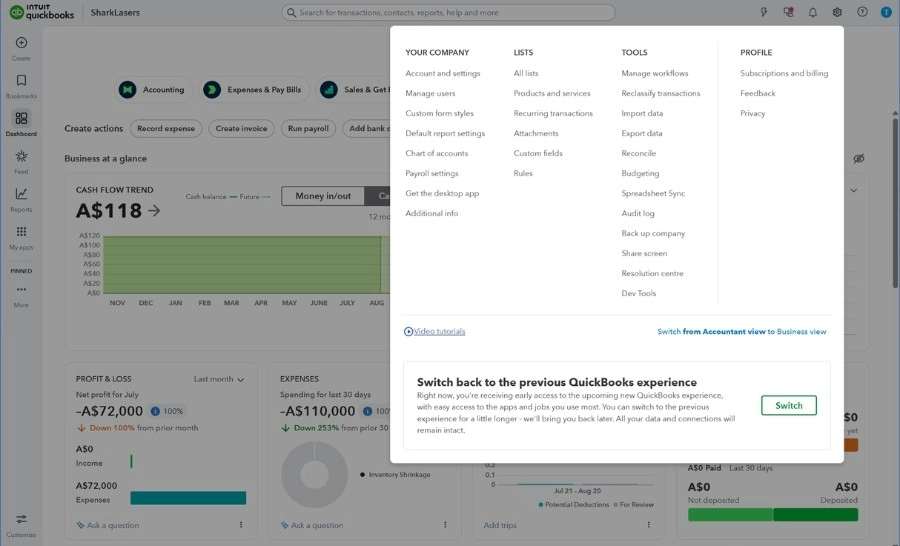
QuickBooks Online
QuickBooks Online helps small businesses manage everyday accounting tasks such as tracking income and expenses, creating invoices, monitoring cash flow, reconciling bank transactions, and generating financial reports. It can also automate parts of bookkeeping by learning how recurring transactions are categorized.
Best for: Small and growing businesses that need a well-established accounting system.
Key strengths: Invoicing, expense tracking, bank reconciliation, cash-flow monitoring, automated bookkeeping, and financial reporting.
Keep in mind: The number of features and user permissions available depends on the selected plan, so businesses should compare tiers carefully before subscribing.
Xero
Xero is a cloud-based accounting platform that connects businesses with their bank accounts, accountants, bookkeepers, and other business apps. It supports invoicing, bill management, expense tracking, cash-flow monitoring, financial reporting, and automatic receipt or bill capture through Hubdoc.
Best for: Small businesses that want cloud accounting with strong integrations and accountant collaboration.
Key strengths: Bank connections, accounting dashboards, invoicing, bill tracking, app integrations, and automated document capture.
Keep in mind: Some advanced functions and usage limits vary by plan and region, particularly around payroll, expenses, projects, and multi-currency support.
FreshBooks
FreshBooks combines invoicing and accounting features with tools for time tracking, receipt management, expenses, and online payments. Its project- and client-focused workflow makes it especially useful for service businesses that bill by the hour or manage recurring client work.
Best for: Freelancers, consultants, agencies, and service-based small businesses.
Key strengths: Professional invoices, time tracking, recurring billing, expense management, payment collection, and client-focused workflows.
Keep in mind: Businesses with complex inventory, advanced reporting, or larger accounting teams may need a more comprehensive system.
Wave
Wave provides accounting, invoicing, and payment tools designed primarily for freelancers and small business owners. Users can track income and expenses, create invoices, review cash flow, and generate reports, while paid features add capabilities such as automated transaction imports and receipt scanning.
Best for: Freelancers and very small businesses looking for a simple, budget-friendly accounting tool.
Key strengths: Straightforward bookkeeping, invoicing, financial dashboards, reports, online payments, and accessible entry-level options.
Keep in mind: Availability and features can differ by country, and growing businesses may eventually need more advanced inventory, payroll, or reporting capabilities.
Customer Relationship Management Apps
HubSpot CRM
HubSpot CRM brings customer data, sales activity, marketing tools, and support features into one platform. Teams can manage contacts, track emails, schedule meetings, run live chat, and follow leads through the sales process without switching between several separate tools.
Best for: Startups and small businesses that want an accessible CRM with room to add marketing, sales, and customer service tools later.
Key strengths: Contact management, email tracking, meeting scheduling, live chat, automation, and a broad customer platform.
Keep in mind: The free CRM covers many basic needs, but costs can rise when teams add advanced automation, reporting, or tools from multiple HubSpot hubs.

Salesforce
Salesforce is a highly customizable CRM platform built for companies that need detailed customer records, sales automation, reporting, and coordination across larger teams. Its Sales Cloud supports lead and opportunity management, workflow automation, forecasting, dashboards, quotes, and approval processes.
Best for: Growing and enterprise businesses with complex sales processes and strong customization needs.
Key strengths: Advanced automation, customizable workflows, reporting, forecasting, integrations, AI features, and support for large sales organizations.
Keep in mind: Salesforce usually requires more setup, administration, and training than simpler CRM tools, which can make it excessive for very small teams.
Zoho CRM
Zoho CRM helps businesses manage leads, customer interactions, sales workflows, and reporting in a customizable environment. It includes automation, AI-assisted features, business intelligence, and portals that allow customers, partners, or vendors to interact with the company directly.
Best for: Small and midsize businesses that want a flexible CRM connected to a broader suite of business apps.
Key strengths: Lead management, workflow automation, customization, analytics, AI tools, customer portals, and integration with other Zoho products.
Keep in mind: The large number of settings and connected Zoho apps can take time to organize, especially for teams without a clear CRM process.
Pipedrive
Pipedrive is a sales-focused CRM built around a visual pipeline. It helps sales teams track leads, manage deals, schedule follow-up activities, automate repetitive steps, and see which opportunities need attention next.
Best for: Small and midsize sales teams that want a straightforward way to manage deals and follow-ups.
Key strengths: Visual pipelines, activity tracking, lead management, workflow automation, sales insights, integrations, and AI-assisted sales features.
Keep in mind: Pipedrive focuses more heavily on sales pipeline management than broader marketing, customer service, or company-wide operations.
Marketing and Social Media Apps
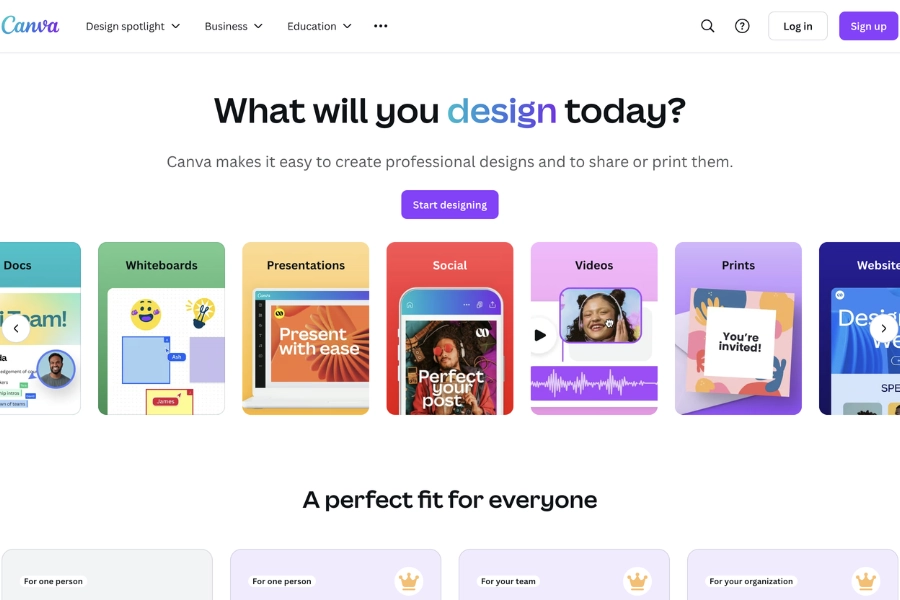
Canva
Canva helps businesses create social posts, presentations, videos, documents, ads, and other visual content without requiring advanced design skills. Teams can store brand colors, logos, fonts, and templates in one place, then collaborate on designs and keep content consistent across campaigns.
Best for: Businesses that need fast, accessible design and brand content creation.
Key strengths: Templates, Brand Kits, collaborative editing, presentations, social media assets, video tools, and AI-assisted design features.
Keep in mind: Canva is excellent for everyday business content, but it may not replace professional design software for highly technical or complex creative work.
Mailchimp
Mailchimp is best known for email marketing, but it also includes tools for audience segmentation, automated customer journeys, landing pages, SMS campaigns, analytics, and integrations with ecommerce and business platforms. Businesses can use it to send newsletters, welcome new subscribers, recover abandoned carts, and trigger messages based on customer behavior.
Best for: Small and midsize businesses that want email marketing and basic automation in one platform.
Key strengths: Email campaigns, customer segmentation, automated journeys, landing pages, analytics, and a large integration library.
Keep in mind: Costs can increase as the contact list grows or when businesses need more advanced automation and reporting features.
Buffer
Buffer helps businesses and creators plan, create, schedule, and publish social media content across multiple platforms. It also offers content organization, analytics, engagement tools, and AI-assisted writing features for adapting posts to different channels.
Best for: Small teams, creators, and businesses that want a simple social media scheduling tool.
Key strengths: Easy scheduling, content calendars, cross-platform publishing, analytics, content repurposing, and an accessible free plan.
Keep in mind: Businesses that need advanced social listening, complex approval workflows, or detailed enterprise reporting may need a more comprehensive platform.
Hootsuite
Hootsuite is a broader social media management platform that brings scheduling, publishing, engagement, analytics, and social listening into one dashboard. Teams can monitor mentions, manage comments and messages, compare performance, and coordinate content across multiple social accounts.
Best for: Marketing teams managing several social accounts, brands, or regions.
Key strengths: Multi-account publishing, unified inbox, analytics, social listening, content planning, and team collaboration.
Keep in mind: Hootsuite may be more expensive and feature-heavy than smaller businesses need, particularly if they only manage a few social channels.
File Storage and Document Management Apps
Google Drive
Google Drive gives teams a central place to store, organize, share, and collaborate on files from different devices. Its close connection with Google Docs, Sheets, and Slides makes it especially useful for businesses that already work in Google Workspace and need several people to edit the same document in real time.
Best for: Teams already using Google Workspace for email, meetings, and document collaboration.
Key strengths: Real-time editing, flexible sharing permissions, version history, shared drives, mobile access, and AI-assisted file search and summarization.
Keep in mind: File organization can become messy when teams rely on inconsistent folder structures or give access too broadly.
Dropbox
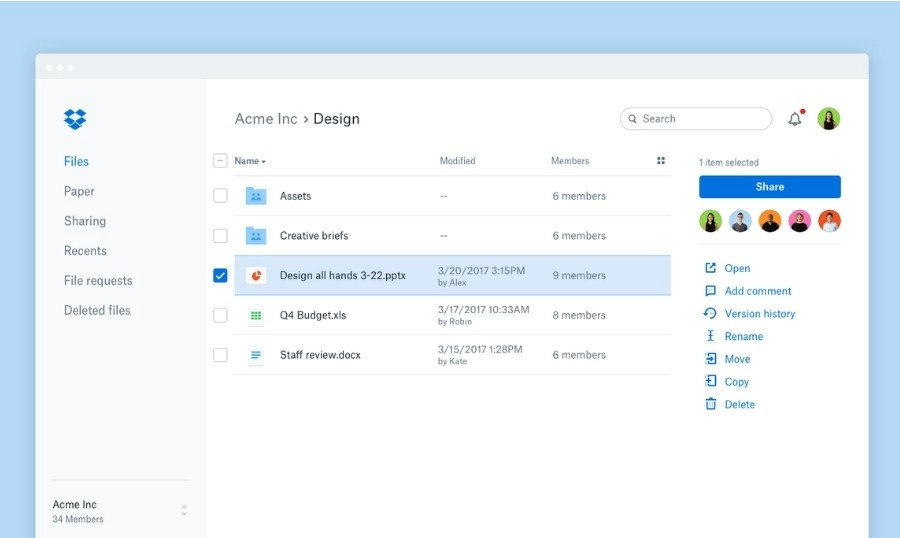
Dropbox focuses on cloud storage, file sharing, content organization, and collaboration. Businesses can send large files through Dropbox Transfer, control access through shared links, and collect feedback on creative work through tools such as Dropbox Replay.
Best for: Businesses that regularly share large files or collaborate with clients and external partners.
Key strengths: Reliable file syncing, simple external sharing, large-file delivery, permission controls, content organization, and creative review workflows.
Keep in mind: Teams that mainly work in Google Workspace or Microsoft 365 may find it easier to use the storage already included in those ecosystems.
Microsoft OneDrive
OneDrive is Microsoft’s cloud storage and file-sharing platform for businesses. It works closely with Word, Excel, PowerPoint, Outlook, SharePoint, and Teams, allowing employees to access files across devices and edit Microsoft documents together in real time.
Best for: Companies that rely on Microsoft 365 and Office documents.
Key strengths: Microsoft 365 integration, document co-authoring, file synchronization, access controls, version history, and business account administration.
Keep in mind: OneDrive and SharePoint serve related but different purposes, so businesses need clear rules for where personal work files and shared company documents should be stored.
Box
Box is a cloud content management platform built around secure file storage, collaboration, permissions, governance, and business workflows. It is particularly well suited to organizations that need stronger controls over sensitive documents or frequently work with external partners.
Best for: Larger businesses and regulated organizations with strict security, governance, or compliance requirements.
Key strengths: Granular permissions, secure external collaboration, workflow tools, content governance, electronic signatures, compliance controls, and enterprise integrations.
Keep in mind: Box may offer more administrative and compliance functionality than a small business needs, making simpler storage tools easier and more cost-effective for basic use.
Automation Apps
Zapier
Zapier connects business apps and automates repetitive work between them. A company might use it to add form submissions to a CRM, notify a sales channel when a new lead arrives, create tasks from emails, or move customer data between platforms without manual copying. Zapier now supports workflows, forms, tables, AI tools, and integrations with thousands of apps.
Best for: Businesses that want to automate multi-step workflows across several cloud apps.
Key strengths: Large integration library, no-code workflow builder, conditional logic, webhooks, AI-assisted automation, and support for complex business processes.
Keep in mind: Costs can rise as task volume and workflow complexity increase, so teams should prioritize automations that save meaningful time.

Make
Make is a visual automation platform that lets users connect apps and build workflows through a flowchart-style interface. It is particularly useful when a process includes several steps, branches, filters, or data transformations that need to be seen and adjusted clearly.
Best for: Teams that want detailed control over complex workflows and data movement.
Key strengths: Visual workflow building, branching logic, filters, data transformation, scheduling, and support for advanced automation scenarios.
Keep in mind: Make offers more flexibility than many basic automation tools, but its interface can take longer to learn when workflows become complicated.
IFTTT
IFTTT uses simple “if this, then that” rules to connect apps, services, and devices. Businesses can use it for lightweight tasks such as sharing new content across channels, sending alerts, syncing simple updates, or connecting workplace tools with mobile and smart-device actions. It supports more than 1,000 services and does not require coding.
Best for: Individuals and small businesses that need simple, trigger-based automations.
Key strengths: Easy setup, mobile access, app and device integrations, ready-made automations, and a low learning curve.
Keep in mind: IFTTT works best for straightforward automations. Teams managing multi-step business processes, detailed approvals, or complex data may need a more advanced platform.
How to Choose the Right Business Apps
A long feature list does not automatically make an app a good fit. The right business apps are the ones that solve a clear problem, fit the way your team already works, and save more time than they create.
Start With the Workflow You Want to Improve
Before comparing tools, define the problem first.
Are projects getting delayed because no one knows who owns each task? Are customer details scattered across spreadsheets? Is the team spending too much time switching between chat, email, and documents?
Once the problem is clear, it becomes much easier to judge whether an app is actually useful or simply looks impressive in a product demo.
Check How Well It Integrates With Your Existing Tools
A new app should connect smoothly with the systems your business already uses.
For example, a CRM may look powerful on its own, but it can create more manual work if it does not integrate with your email, website forms, accounting software, or customer support platform.
Before committing, check whether the app supports native integrations, APIs, automation platforms, or reliable data exports.
Think About Team Size and Future Growth
A tool that works well for a five-person team may become difficult to manage when the company grows to 50 employees.
Look beyond what you need today. Consider whether the app supports additional users, role-based permissions, larger storage limits, more advanced reporting, and stronger administrative controls.
At the same time, avoid buying an enterprise-level system far earlier than necessary. Extra complexity can slow down adoption and waste budget.
Compare the Total Cost
The advertised monthly price rarely tells the whole story.
Some apps charge per user, while others limit features, storage, automation runs, contacts, or reports by plan. You may also need to pay extra for onboarding, integrations, premium support, or data migration.
Estimate the likely cost for your actual team size and usage rather than choosing based only on the lowest starting price.
Review Security and Data Controls
Business apps often store sensitive company, employee, or customer information, so security should be part of the selection process from the beginning.
Depending on the type of app, check for features such as:
- Multi-factor authentication
- Role-based access
- Encryption
- Data backups
- Audit logs
- Privacy controls
- Compliance with relevant industry requirements
The level of security you need will depend on the data being handled, but it should never be treated as an afterthought.
Test the App With the People Who Will Use It
A tool can meet every technical requirement and still fail because employees find it confusing or inconvenient.
Use free trials or pilot programs to test the app with a small group. Ask users how long it takes to complete common tasks, whether the interface feels intuitive, and where they run into friction.
The people using the app every day will often notice practical problems that are easy to miss during a product comparison.
Avoid Buying Several Apps That Solve the Same Problem
Overlapping tools are a common source of unnecessary cost and confusion.
A company may end up with separate apps for chat, task management, notes, file sharing, and internal documentation, even though some of those functions are already included in an existing platform.
Before adding a new app, review what your current tools can already do. Consolidating where it makes sense can reduce subscriptions, simplify training, and make information easier to find.
Looking for more AI tools? Check out this article: 18+ Best AI Tools Every Team Needs to Work Smarter
Beincom