
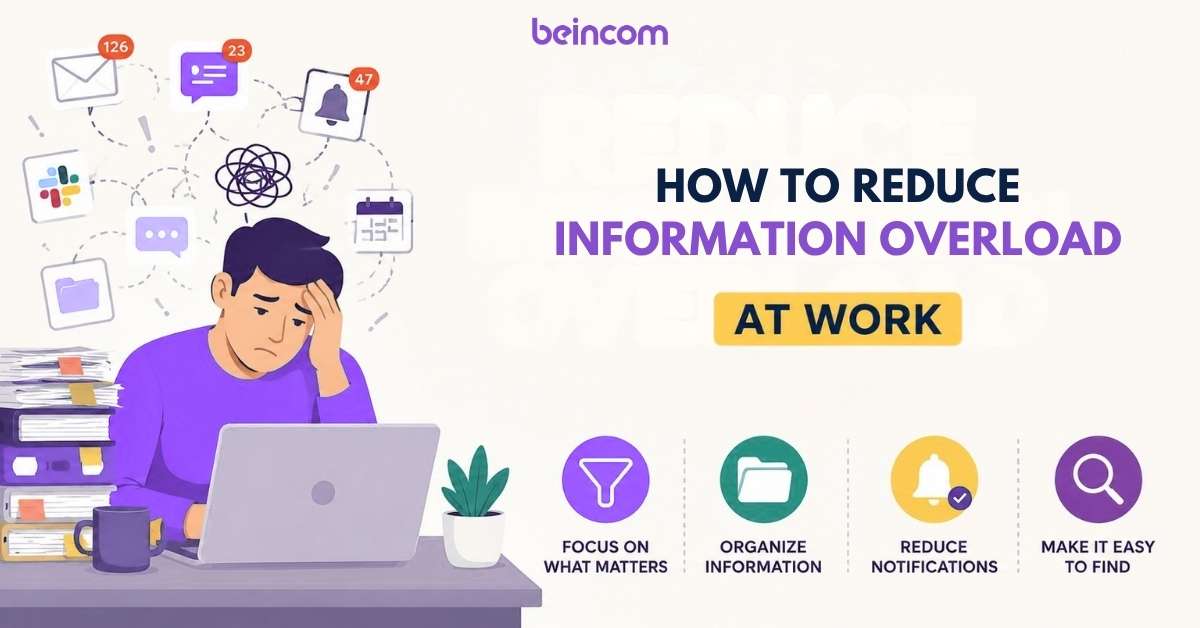
Too many emails. Too many notifications. Too many places to check for updates.
Information overload happens when employees receive more information than they can realistically process and act on. Instead of helping teams stay aligned, excessive communication often leads to distractions, missed updates, slower decisions, and lower productivity.
This guide explains what causes information overload at work and shares practical strategies to reduce it without reducing communication.
Signs of Information Overload in the Workplace
Information overload is not always obvious at first. In many organizations, it becomes part of the daily routine. Employees get used to jumping between apps, sitting through unnecessary meetings, and scanning hundreds of messages every week.
Over time, however, the symptoms become harder to ignore.
You Constantly Switch Between Apps
If your team relies on multiple communication and collaboration tools, employees may spend a significant portion of their day moving between email, chat, documents, project management platforms, and video calls.
Every switch requires mental effort. Instead of focusing on one task, employees are forced to repeatedly reorient themselves, which reduces concentration and productivity.
Important Updates Get Buried
When every message is treated as important, truly important information becomes harder to find.
Critical announcements, project updates, and decisions can easily disappear beneath a stream of routine conversations, notifications, and status updates. Employees may miss key information simply because there is too much content competing for attention.
Employees Ask the Same Questions Repeatedly
Repeated questions are often a sign that information exists but is difficult to find.
When documentation is scattered across chats, emails, and shared drives, employees may spend less time searching and more time asking colleagues for answers. This creates additional interruptions and contributes to the cycle of information overload.
Notifications Constantly Interrupt Work
Notifications are designed to capture attention. The problem arises when there are too many of them.
If employees receive alerts for every message, comment, mention, and activity, it becomes difficult to focus on deep work. Frequent interruptions can break concentration and make even simple tasks take longer to complete.
Decision-Making Becomes Slower
More information does not always lead to better decisions.
Teams experiencing information overload often struggle to identify which information is relevant and which can be ignored. As a result, discussions become longer, decisions take more time, and projects move forward more slowly.
People Stop Reading Messages
One of the clearest warning signs is when employees begin ignoring communication altogether.
They skim announcements, mute channels, leave messages unread, or stop checking certain platforms. This behavior is often a coping mechanism rather than a sign of disengagement. When people feel overwhelmed by information, they naturally start filtering out what they believe is non-essential.
The challenge is that important updates may get filtered out as well.

What Causes Information Overload at Work?
Information overload rarely happens because employees receive a single large amount of information. More often, it develops gradually as communication becomes fragmented, unstructured, and difficult to manage.
Understanding the root causes can help organizations address the problem more effectively.
Too Many Communication Channels
Most workplaces use multiple tools for communication. Employees may receive updates through email, chat apps, project management platforms, shared documents, intranets, and video meetings.
The challenge is not necessarily the number of tools. The challenge is that employees often do not know where important information is supposed to live.
For example, a project update might be discussed in a meeting, summarized in a chat channel, documented in a shared file, and referenced again in an email. Finding the latest version of the information becomes a task in itself.
Lack of Information Ownership
Information overload often occurs when there are no clear rules about where information should be stored and shared.
Without ownership, teams may save documents in different locations, post updates across multiple channels, and communicate the same information repeatedly. Over time, employees spend more effort searching for information than using it.
Excessive Meetings
Meetings can be useful for discussion and decision-making. However, many organizations use meetings to share information that could have been communicated through a document, announcement, or asynchronous update.
When employees spend hours attending meetings and then spend additional time catching up on messages and emails, information quickly starts to pile up.

Poor Documentation Practices
If important knowledge only exists in conversations, employees have to rely on memory or repeatedly ask others for answers.
Poor documentation creates a cycle where the same questions are asked multiple times, the same explanations are repeated, and critical information becomes harder to locate as teams grow.
Notification-Heavy Workplace Culture
Many workplaces operate under the assumption that every update deserves immediate attention.
Constant notifications create a reactive work environment where employees feel pressured to monitor messages throughout the day. Instead of focusing on priorities, they spend their time responding to interruptions.
Information Shared Without Prioritization
Not all information has the same level of importance.
One common mistake is treating urgent updates, routine announcements, and casual discussions exactly the same way. When everything is presented as a priority, employees struggle to determine what actually requires attention.
Over time, this leads to message fatigue and causes people to ignore communication altogether.
The good news is that most of these issues are not caused by too little communication. They are caused by communication systems that make information difficult to prioritize, organize, and retrieve. The next step is learning how to reduce information overload without reducing collaboration.
The Hidden Cost of Information Overload
Information overload is often treated as a minor productivity issue. In reality, its impact can spread across communication, decision-making, employee well-being, and overall business performance.
The more time employees spend managing information, the less time they spend creating value.
Reduced Productivity
When employees constantly switch between messages, meetings, documents, and notifications, focused work becomes difficult.
Instead of completing important tasks, they spend a large portion of their day searching for information, catching up on conversations, and deciding what deserves attention first.
Even small interruptions can add up over time, reducing overall productivity across the organization.
Communication Fatigue
Too much communication can eventually make people communicate less.
When employees are exposed to a constant stream of updates, announcements, and notifications, they may begin to tune out. Messages become easier to ignore, channels become muted, and engagement gradually declines.
This is often referred to as communication fatigue—the point where people feel overwhelmed by the volume of information they are expected to process.
Higher Employee Stress
Information overload creates a sense that there is always something left unread, unanswered, or unfinished.
Employees may feel pressure to stay connected at all times, monitor multiple channels, and respond quickly to incoming requests. Over time, this can increase stress levels and contribute to workplace burnout.
The issue becomes even more pronounced in remote and hybrid work environments where communication happens almost entirely through digital tools.
Information overload can lead to employee burnout. Learn how to avoid here: Employee Burnout: Why It Happens and How to Prevent It
Slower Decision-Making
Teams make better decisions when they have access to relevant information.
However, when information is scattered across different platforms or buried beneath excessive communication, decision-making often slows down.
Employees spend more time gathering context, verifying information, and aligning stakeholders before they can move forward.
In some cases, teams delay decisions entirely because they cannot confidently determine which information is most important.
Knowledge Fragmentation
One of the most overlooked consequences of information overload is knowledge fragmentation.
When conversations, documents, updates, and decisions are spread across multiple tools, organizational knowledge becomes difficult to maintain. Employees may know that information exists somewhere, but they are not sure where to find it.
As teams grow, this fragmented knowledge creates duplication, confusion, and unnecessary work.
Organizations that successfully reduce information overload are not necessarily the ones that communicate less. They are the ones that make information easier to access, understand, and act upon.

How to Reduce Information Overload at Work
Reducing information overload does not require eliminating communication channels or restricting collaboration. Instead, it requires creating clearer systems for how information is shared, organized, and prioritized.
The following strategies can help teams stay informed without feeling overwhelmed.
Step 1: Audit Your Communication Channels
Before making any changes, take a close look at how information currently flows through your organization. Many teams assume they have a communication problem when the real issue is a lack of structure around where information is shared and stored.
Start by listing every channel employees use throughout the workday, including email, chat apps, project management tools, meetings, shared documents, internal communities, and knowledge bases. Then examine how each channel is being used. Are the same updates being shared across multiple platforms? Do employees know where to find important information? Are there channels that generate a lot of activity but provide little value?
This audit helps uncover overlap, duplication, and unnecessary complexity. In many organizations, communication tools accumulate over time, creating more places to check without improving collaboration. Understanding where information lives today is the first step toward reducing overload tomorrow.
Read more: 10 Best Group Chat Apps for Effective Team Collaboration
Step 2: Define Where Different Types of Information Belong
One of the biggest reasons information overload occurs is that employees are never quite sure where to look. A project update might appear in a chat channel, be mentioned during a meeting, and later show up in an email. When information is scattered across multiple locations, people spend more time searching than acting.
The solution is to create clear rules about where different types of information belong. Employees should know exactly where to find company announcements, project discussions, documentation, meeting notes, and support requests. When information has a designated home, communication becomes more predictable and employees waste less time hunting for context.
A simple framework might look like this:
| Information Type | Primary Channel |
|---|---|
| Urgent updates | Team chat |
| Company announcements | Community feed |
| Documentation | Knowledge base |
| Project discussions | Project workspace |
| Meeting notes | Shared documentation hub |
| Questions and peer support | Community discussion space |
The exact channels may vary by organization, but the principle remains the same: every type of information should have a clear destination. The easier information is to find, the less likely employees are to feel overwhelmed by it.
Step 3: Reduce Unnecessary Notifications
Not every update deserves an immediate interruption. Yet in many workplaces, employees receive alerts for every message, comment, mention, reaction, and status change throughout the day. Over time, these constant interruptions make it difficult to focus on meaningful work and contribute directly to information overload.
Instead of treating every notification as urgent, review which alerts actually require attention. Non-essential notifications can often be disabled, while low-priority channels can be muted or grouped into scheduled notification summaries. Teams should also be careful about using company-wide announcements and mass mentions too frequently, as excessive alerts can quickly lose their impact.
Some organizations go a step further by establishing focus hours during which employees are not expected to respond immediately to messages. This creates dedicated time for deep work while still allowing important communication to happen when necessary.
The goal is not to slow communication down. The goal is to make sure employees spend their attention on information that matters rather than reacting to a constant stream of interruptions.
Step 4: Centralize Important Information
Information overload often happens because employees know the information exists, but they do not know where to find it.
Over time, conversations become scattered across chat channels, emails, meeting notes, project tools, and shared documents. Team members end up searching through multiple platforms just to find a decision, policy, or update that should be easy to access.
Instead of relying on conversations as the primary source of information, organizations should create a central location for important knowledge. This could be a knowledge base, an internal community platform, a company intranet, or another shared workspace where employees know they can find accurate and up-to-date information.
The goal is not to store everything in one place. The goal is to make sure critical information has a single source of truth. When employees know exactly where to look, they spend less time searching, ask fewer repetitive questions, and are less likely to miss important updates.
Step 5: Improve Documentation Habits
Many workplace conversations contain valuable information, but that information becomes difficult to use if it only exists in chat messages or meeting discussions.
When key decisions, processes, and insights are not documented, employees have to rely on memory or repeatedly ask colleagues for context. As teams grow, this creates unnecessary interruptions and contributes to information overload.
Encourage teams to document information that is likely to be referenced again. This includes meeting outcomes, project decisions, standard operating procedures, onboarding materials, and frequently asked questions. Documentation does not need to be lengthy or complicated. What matters is that it is accessible, searchable, and maintained over time.
Strong documentation habits reduce the need for repeated explanations and make knowledge easier to share across the organization.
Learn more: Build a Knowledge Base In 7 Easy Steps (with Tips)
Step 6: Encourage Asynchronous Communication
Not every question requires an immediate response, and not every discussion needs a meeting.
Many organizations unintentionally create information overload by treating all communication as urgent. Employees feel pressure to respond instantly, monitor multiple channels throughout the day, and stay constantly available for new requests.
Asynchronous communication offers a more sustainable alternative. Instead of expecting real-time responses, employees can share updates, ask questions, and contribute to discussions when it fits their workflow. This gives people more uninterrupted time for focused work while still keeping communication moving forward.
For example, project updates can be posted in a shared workspace rather than discussed in a meeting. Questions can be documented in community discussions instead of being repeated through direct messages. Decisions can be recorded in a central location where everyone can access them later.
When used effectively, asynchronous communication reduces interruptions and helps teams process information at a more manageable pace.
Step 7: Create Clear Communication Guidelines
Even with the right tools and documentation, information overload can persist if employees have different expectations about how communication should work.
For example, one person may treat chat messages as urgent, while another checks them only a few times a day. Some teams schedule meetings for every discussion, while others prefer written updates. Without shared guidelines, communication becomes inconsistent and difficult to manage.
Establishing a few simple rules can make a significant difference. Teams should understand which channels are used for urgent updates, where project discussions belong, when meetings are necessary, and how quickly responses are generally expected.
For example:
- Use chat for urgent or time-sensitive conversations.
- Use documentation for processes, decisions, and long-term knowledge.
- Use meetings for discussions that require collaboration or decision-making.
- Use community spaces for questions, peer support, and knowledge sharing.
- Avoid expecting immediate responses unless the issue is genuinely urgent.
Clear communication guidelines reduce confusion and help employees prioritize information more effectively. They also create a more predictable work environment where people spend less time figuring out how to communicate and more time focusing on meaningful work.

For more tips, check out this article: Internal Communication: How to Connect, Engage & Align Teams
Information Overload Reduction Checklist
Reducing information overload is an ongoing process rather than a one-time fix. Use the checklist below to evaluate whether your organization is building a healthier communication environment.
| Checklist Item | Status |
|---|---|
| Communication channels have been audited | ☐ |
| Information ownership is clearly defined | ☐ |
| Different types of information have designated locations | ☐ |
| Non-essential notifications have been reduced | ☐ |
| Important knowledge is centralized | ☐ |
| Documentation practices are consistently followed | ☐ |
| Asynchronous communication is encouraged where appropriate | ☐ |
| Communication guidelines are documented and shared | ☐ |
| Employees can easily find information without asking repeatedly | ☐ |
| Teams spend less time searching and more time executing | ☐ |
The more boxes you can check, the less likely your organization is to suffer from information overload. Small improvements in how information is organized and shared often have a much bigger impact than simply adding another communication tool.
FAQs
Q1. What is information overload in the workplace?
Information overload occurs when employees receive more information than they can effectively process, prioritize, and act on. This often happens when updates are spread across multiple communication channels, notifications are constant, and important information is difficult to find.
As a result, employees may spend more time managing information than completing meaningful work.
Q2. Why does information overload reduce productivity?
Information overload forces employees to constantly switch attention between tasks, messages, meetings, and notifications. Every interruption requires mental effort, making it harder to focus and maintain momentum.
When employees spend excessive time searching for information or deciding what deserves attention, less time is available for high-value work.
Q3. How can managers identify information overload in their teams?
Some common warning signs include:
- Employees frequently asking questions that have already been answered.
- Important updates being missed or overlooked.
- Constant context switching between multiple tools.
- Meeting schedules becoming increasingly crowded.
- Team members feeling overwhelmed by messages and notifications.
- Slower decision-making despite increased communication.
If these patterns appear regularly, information overload may be affecting the team.
Q4. What is the difference between information overload and communication overload?
The two concepts are closely related but not identical.
Information overload refers to receiving more information than a person can effectively process. Communication overload focuses specifically on the volume of messages, meetings, emails, and conversations employees must manage.
Communication overload is often one of the primary causes of information overload.
Q5. How do remote teams deal with information overload?
Remote teams often rely heavily on digital communication, making information overload a common challenge. To reduce it, successful remote organizations typically centralize documentation, encourage asynchronous communication, establish communication guidelines, and limit unnecessary meetings.
Creating a single source of truth for important information can significantly reduce confusion and duplication.
Q6. Can AI help reduce information overload?
AI can help summarize conversations, organize information, surface relevant knowledge, and reduce the time employees spend searching for answers. However, AI alone cannot solve information overload if the underlying communication processes remain disorganized.
Organizations still need clear information ownership, documentation practices, and communication guidelines. AI works best when it supports a well-structured information system rather than replacing one.
Ready to simplify communication and reduce information overload?
Join Beincom to create a more organized digital workplace where conversations, knowledge, and communities live together in one platform. Sign up today and discover a smarter way to collaborate, engage, and share information at scale.
Beincom


