

How can you build a collaborative workspace that actually works for your team?
Start with the right communication tool. Both Slack and Discord offer real-time messaging, file sharing, and team coordination—but they’re built with different users in mind.
This in-depth comparison breaks down Slack vs Discord features, pricing, and communication tools to help you pick the right platform—plus a bonus alternative you might not have considered.
Slack vs Discord: Quick Overview
Here’s a snapshot of what each platform offers—who they’re best for, their standout features, and where they might fall short.
Slack

Best For: Remote teams, startups, and enterprises that prioritize productivity, integrations, and structured workflows.
Key Features:
- Threaded conversations
- Deep integration with productivity tools (Google Workspace, Microsoft 365, Trello, etc.)
- Powerful search filters
- Workflow automation with Slackbot
- File sharing and document collaboration
- Customizable notifications and themes
Strengths:
- Ideal for structured, professional communication
- Excellent integration with business tools
- Reliable search functionality and message history
- Built-in productivity features
Weaknesses:
- Free plan limits message history and features
- Less engaging for casual or community-focused chats
- Voice and video features are basic compared to Discord
Discord
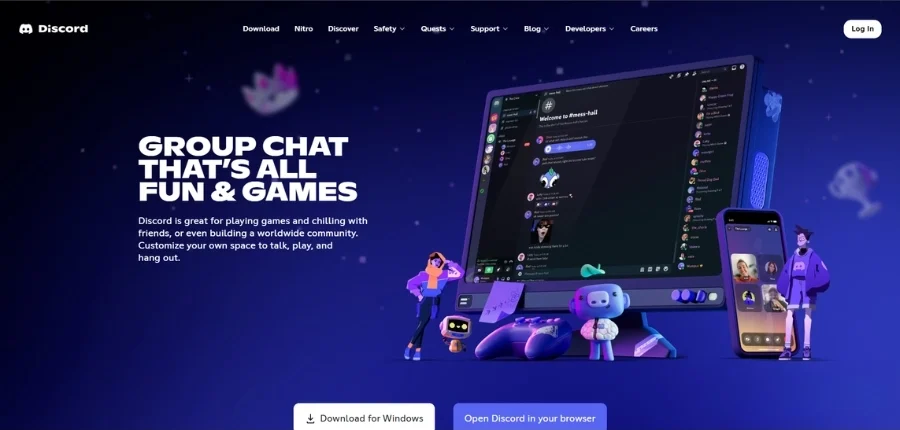
Best For: Online communities, creators, gaming groups, and casual teams who need voice-first, real-time communication.
Key Features:
- Always-on voice channels
- High-quality video calls and screen sharing
- Role-based permissions for moderation
- Bots for music, games, polls, and more
- Emoji reactions, community tools, and gamification
- Unlimited message history (even on free plan)
Strengths:
- Best for casual chats and active, real-time communities
- Rich voice and video communication tools
- Highly customizable with bots and roles
- Free plan is generous and feature-rich
Weaknesses:
- Lacks advanced productivity or project management tools
- Can feel unstructured for formal business use
- Limited integration with professional work apps
Slack vs Discord: Main Features Comparison
Slack and Discord are both powerhouse platforms for communication, but they serve different purposes. Slack is known for its polished, professional vibe, making it a top pick for workplace collaboration. Discord, on the other hand, offers a more casual, community-first experience with strong voice and video features.
Here’s a quick feature-by-feature breakdown:
| Feature | Slack | Discord |
| Best for | Teams, workplaces, remote collaboration | Communities, gamers, casual conversations |
| Interface | Clean, professional, email-like thread system | More casual, gamer-style layout |
| Messaging | Threaded, searchable, better for work contexts | Fun, fluid, good for fast-paced conversations |
| Voice & Video | Basic, mostly in huddles and calls | Robust, built-in voice & video channels |
| Screen Sharing | Yes | Yes |
| File Sharing | Yes (limits based on plan) | Yes (better limits even on free plan) |
| Free Plan Limitations | 90-day message history, low storage | Unlimited message history, better storage |
| Search Options | Advanced search with filters, mentions, files | Basic keyword search, fewer filter options |
| Support | Priority support on paid plans, strong docs | Community-based support, fewer official channels |
| Pricing (Paid Plan) | Starts at $8.75/user/month | Starts at $2.99/month (Nitro) |
| Integrations | 2,600+ apps (Google, Zoom, Trello, etc.) | Fewer native integrations, some bot-based |
| Customization | Moderate branding options | High (custom emojis, roles, permissions) |
| Security | Enterprise-grade, compliance-friendly | Good, but not built for enterprise needs |
For a more detailed comparison of Slack vs Discord, keep on reading.
Discover Beincom — the powerful alternative to Slack and Discord — right here!
Detailed Comparison Between Slack vs Discord
While both platforms aim to make communication smoother, they’re built with very different users in mind. Let’s break down how Slack and Discord compare across key areas to help you figure out which one fits your needs best.
Slack’s interface is simpler and more intuitive
Slack was designed for professional teams, and it shows in its interface. The layout feels more like email—clean, focused, and built around productivity. You get channels, direct messages, and threaded replies, which are incredibly useful in keeping conversations organized.

Discord, on the other hand, feels more like a community lounge. It’s vibrant, but it can be overwhelming for newcomers. Threads exist, but they’re not as deeply integrated as in Slack.

If you want an interface that “just works” for team collaboration, Slack wins here.
Discord’s free version offers more, and the paid plan is cheaper
This one’s pretty straightforward. Discord’s free tier includes unlimited message history, voice and video calls, screen sharing, and generous file upload limits—something Slack restricts unless you’re on a paid plan.

If budget is a concern, Discord offers excellent value. Even Discord Nitro (its premium tier) is only a few bucks a month compared to Slack’s per-user pricing, which adds up fast for teams.

Slack is better for text communication, while Discord is better for voice chat and video calls
Need to manage long discussion threads, share documents, and collaborate quietly? Slack is optimized for written communication and makes it easy to keep things organized, searchable, and professional.
But if you want quick voice chats, spontaneous calls, or community-wide hangouts, Discord’s real-time voice and video channels are far superior. You can jump in and out of conversations easily, without needing to “start a call” every time.

Slack has stronger app integrations and workflow automation
Slack connects with over 2,600 third-party apps—from Google Workspace and Microsoft 365 to Trello, Notion, and Zoom. You can build custom workflows, get alerts, and automate tasks all within your chat window.
Discord supports bots and some integrations, but most are community-created and focused on entertainment or moderation—not productivity. If your team relies on tools like Jira, Asana, or HubSpot, Slack will feel much more seamless.
Discord is more customizable and fun
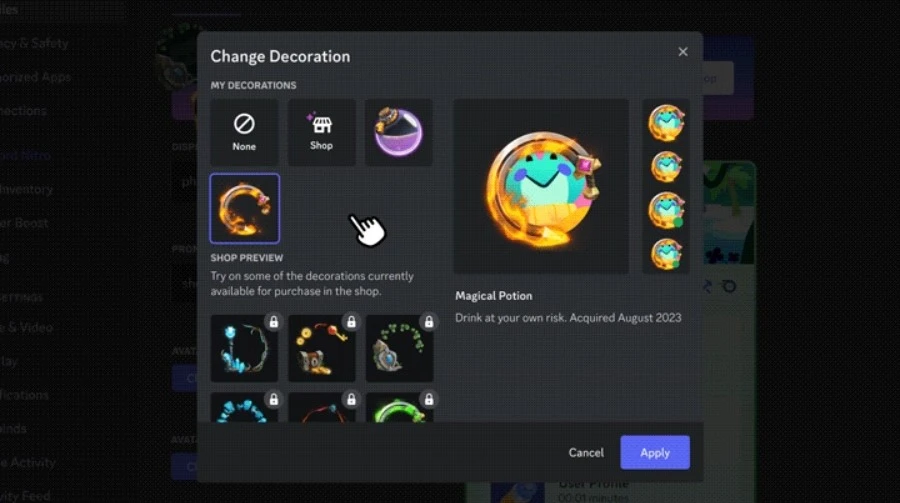
Let’s be honest—Discord is just more fun. Custom emojis, server roles, channel permissions, reaction-based access, animated avatars—you name it. If you’re building a vibrant, casual community,
Discord gives you creative control over the vibe and structure.
Slack has some customization (like emoji reactions and themes), but it’s much more reserved, keeping things in the “business casual” zone.
Slack offers advanced search option (on paid plans)
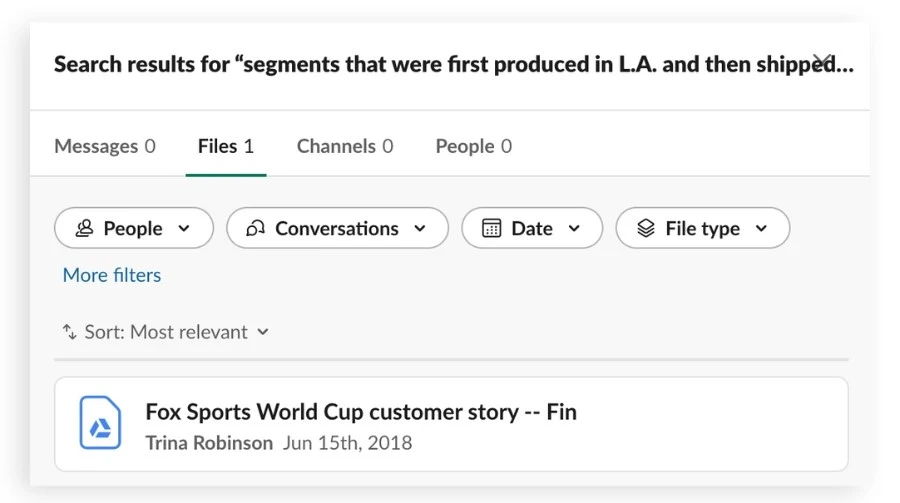
If you need to dig up an old conversation, Slack’s search function is powerful. You can filter by user, channel, date, file type, or keyword. It’s designed for people who need to find important information quickly.
Discord’s search is decent but basic—mostly keyword-based and less filter-friendly. It’s fine for casual users but not ideal for complex, work-related queries.
Slack offers enterprise-grade security; Discord is secure but more casual
Slack is built with businesses in mind, so its security standards are high. It offers features like:
- Enterprise-grade data encryption (in transit and at rest)
- Two-factor authentication (2FA)
- Single sign-on (SSO) options
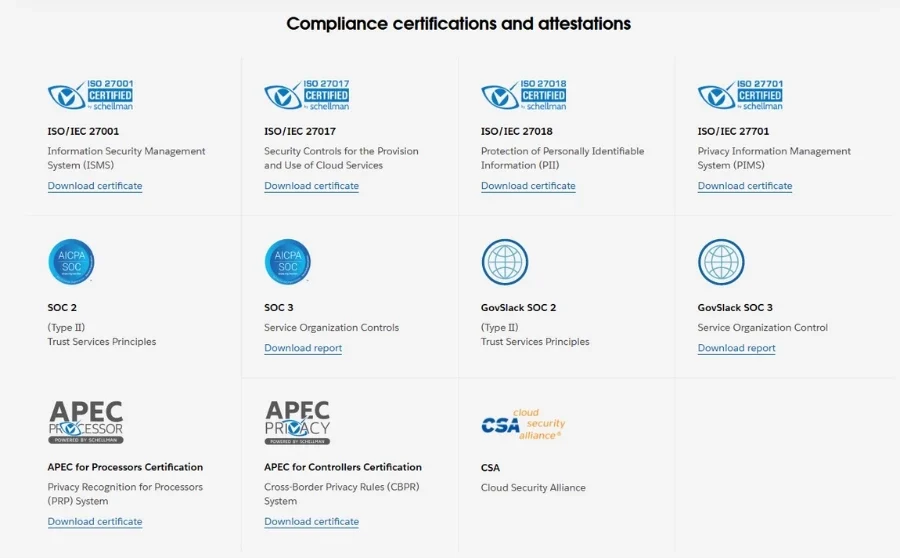
- Compliance with standards like SOC 2, ISO/IEC 27001, and GDPR
- Granular admin controls for data retention, access, and permissions
All of this makes Slack a solid choice for companies that handle sensitive information or need to meet compliance requirements.
Discord, on the other hand, does encrypt data in transit and supports 2FA—but it’s more geared toward casual use. There aren’t enterprise-level controls, and it doesn’t offer the same depth of admin tools or compliance certifications. For gaming communities or casual groups, it’s secure enough. For a business or organization? Slack is the safer bet.
Slack vs Discord: Which Should You Choose?
It all comes down to what you need.
If you’re running a professional team, managing projects, and need structured communication, Slack is probably your best option. Its cleaner interface, deep integrations with productivity tools, and business-ready security make it a top choice for teams that prioritize efficiency.
On the flip side, if your community thrives on casual conversations, real-time voice chats, and you don’t want to pay for basics like file sharing or custom emojis, Discord has the edge. It’s built for communities, creators, gamers, and anyone who values flexibility and social interaction over rigid structure.
Still not sure? Here’s a quick cheat sheet:
- Go with Slack if: You’re a company, startup, or remote team that needs organized, secure, and professional collaboration.
- Go with Discord if: You’re managing a community, gaming group, or casual collective that values free features, voice chat, and ease of access.
Or, if neither feels quite right…
Looking for a Slack or Discord Alternative? Try Beincom!
Not feeling 100% about choosing between Slack vs Discord? That’s where Beincom comes in. Designed for the new wave of online communities and digital creators, Beincom brings together the best of both worlds—with Web3-powered innovation, advanced creation tools, threaded conversations, and effortless cross-posting across platforms like Facebook, X, and YouTube.
You get:
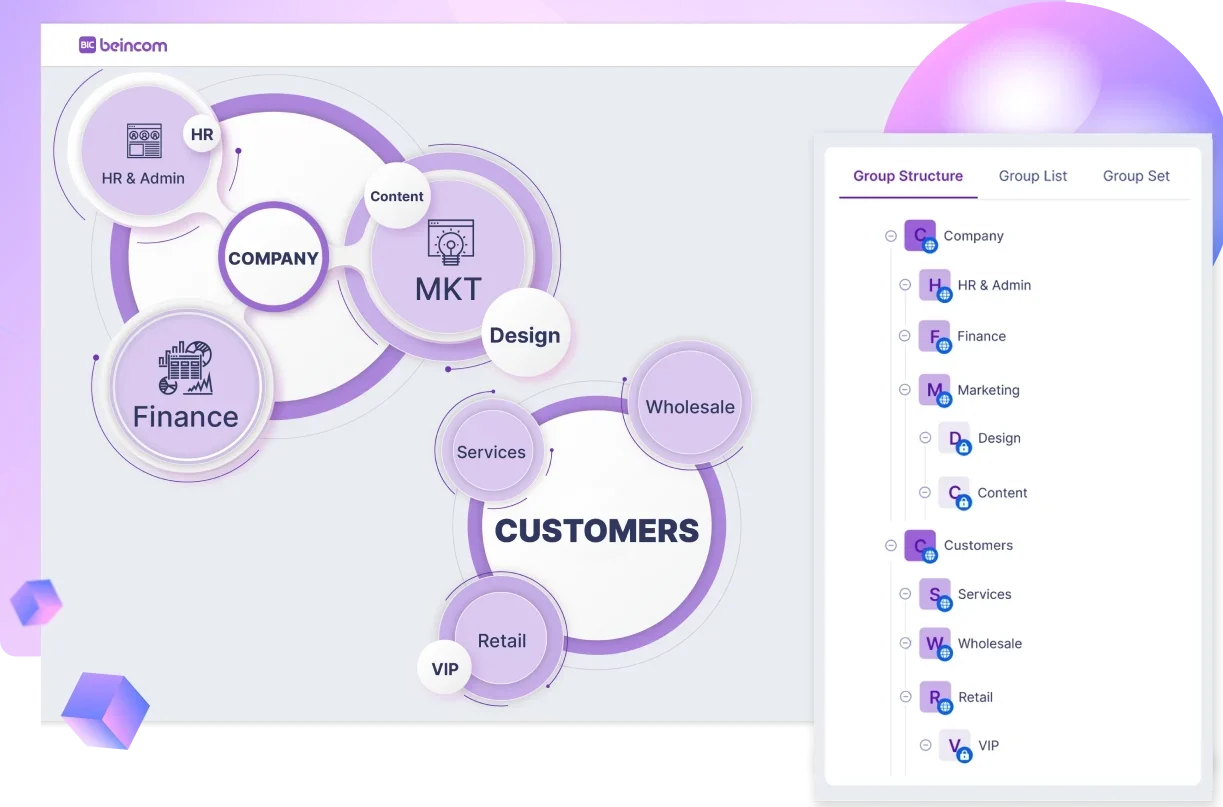
- Structured and well-organized communities, up to 10 levels of sub-groups with ICS (Inner Circle Structure) feature.
- Diverse advanced content creation tools with short posts, long articles, and in-depth series.

- Cross-platform integration and posting.
- Unlimited messaging.
- Auto-generated chat rooms based on your group structure.

- Built-in token rewards, donation, staking, and NFTs.
- Total privacy with a decentralized, blockchain-backed architecture.
- Threaded conversations to keep discussions organized and easy to follow.

Whether you’re building a private membership club, a creator community, a knowledge-sharing group, a tight-knit DAO, or a professional community, Beincom offers a future-ready alternative—without sacrificing simplicity.
Sign up for Beincom today and enjoy a smarter, smoother, and more rewarding way to connect, engage, and grow your community!
FAQs about Slack vs Discord
1. Can you integrate Google Workspace or Microsoft 365 with Discord or Slack?
Slack integrates natively with both Google Workspace and Microsoft 365, letting you share files, schedule meetings, and access documents right from your workspace. Discord, on the other hand, doesn’t offer direct integrations with productivity suites and would require third-party bots or workarounds.
2. Does Discord support threads like Slack?
Discord introduced threaded messages, but they are more limited compared to Slack. Slack’s threaded conversations are better suited for keeping side discussions organized within a single channel—ideal for project tracking and topic-based chats.
3. Which platform offers a better mobile app experience—Slack or Discord?
Both apps are mobile-friendly, but their focus differs. Slack’s mobile app is optimized for productivity with clear organization and quick access to files, mentions, and threads. Discord’s app is designed more for casual use and social interaction, with quick toggles for voice channels and community activity.
4. Which one is better for remote teams?
If your team is focused on productivity, projects, and formal communication, Slack is the better choice. If your team is more casual, creative, or gaming-related, Discord’s voice and community tools might be a better fit.
5. Can you self-host Slack or Discord for full control?
No, both Slack and Discord are closed-source and cannot be self-hosted. If you need full control over hosting, data, and customization, consider open-source alternatives like Element (Matrix) and Mattermost or decentralized platforms like Beincom.
6. Is there a platform that combines the best of both?
Yes—Beincom is emerging as a solid alternative, combining Discord’s community vibe with Slack’s productivity focus. It’s Web3-ready, supports smart group structures, and even lets you earn rewards through engagement. Give it a try and enjoy the ultimate experience today!
Looking for more options beyond Slack and Discord? Check out our full guide: Top 10 Discord Alternatives You Should Try in 2025


