Looking for the best Discord alternatives? Whether you need chat apps like Discord with better customization, lower costs, or more privacy, we’ve got you covered. Explore top platforms like Discord that fit your needs—chat smarter, connect better!
Why Look for Discord Alternatives?
Let’s be real—Discord has earned its place as a powerhouse for online communication, especially among gamers, creators, and community builders. But that doesn’t mean it’s perfect for everyone. As more users join diverse online spaces and search for more tailored experiences, it’s no surprise that people are exploring apps like Discord. Here’s why you might be, too:
- Server Limits: Discord caps the number of members per server, making it tough for growing communities. Free users also face message history limits, which can be frustrating.
- Subscription Costs: Key features like HD video, higher file uploads, and custom emojis require Discord Nitro—costs that add up for larger communities.
- Moderation & Customization: Managing a busy server can be a hassle. Discord’s built-in tools are limited, and deeper customization often requires third-party bots.
- Different Needs: Not all communities are the same. Some need monetization tools, others want project management, open-source flexibility, or a simpler interface.
- Learning Curve: For non-tech users, Discord’s interface can feel overwhelming. Some alternatives offer a more intuitive experience.
- Innovation: New platforms are redefining community building—whether through privacy-first models, Web3 integration, or hybrid social media features.
If Discord doesn’t quite fit, there are plenty of fresh Discord alternatives designed with your needs in mind.
10 Best Discord Alternatives to Switch in 2026
Beincom
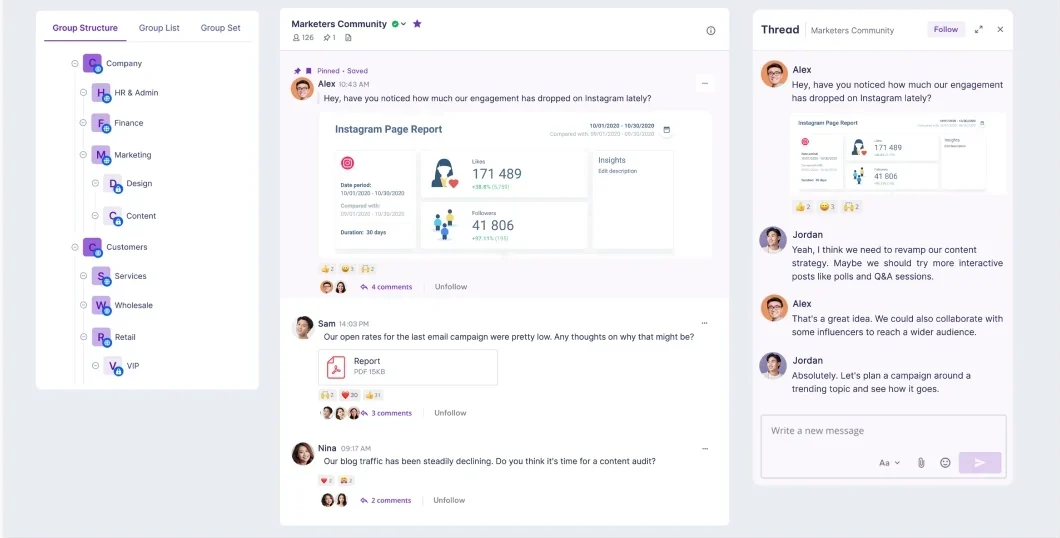
Looking for a social platform that’s not just about sending messages but also about building and engaging with your community in a whole new way? Beincom is a game-changer. It combines the simplicity of Web2 with the power of Web3 to create a space where creators, communities, and teams can connect, collaborate, and even earn.
Pros:
- Web3 Innovation: Beincom isn’t just a chat tool—it’s a full-fledged platform built for community building. With features like token rewards, staking, and NFT utilities built directly into the ecosystem, it empowers communities to grow, engage, and thrive in a decentralized way.
- ICS (Inner Circle Structure): Organize your community into exclusive groups for better engagement, creating a more personalized experience for your members.
- Social Hub: Gathers all your real fans from scattered platforms into one place. With a 100% reach commitment and smart analytics, your community becomes more engaged, more connected, and easier to grow than ever.
- Flexible Content Creation: Unlike Discord, which mainly supports simple chat, Beincom gives you powerful tools to create and organize content—short posts, long-form articles, and in-depth series, combined with other advanced features—so you can share with deep insight, not just messages.
- Effortless Cross-Posting: Share your content across multiple platforms (Facebook, YouTube, X) at once, saving time and ensuring consistency across your networks.
- Threaded Conversations: Keep track of important discussions with threaded conversations, making it easy to follow and engage, even in active chat rooms.
- Unlimited Messaging: No restrictions on how much you can message or how many messages you can send—BIC Chat is built for active, free-flowing communication.
- Privacy Focused: With its decentralized structure and blockchain technology, users take full control over their data and privacy.
Cons:
- Lacks Voice Chat and Video Call Feature: BIC Chat doesn’t yet offer voice and video calling, which are key features for real-time collaboration.
- Fewer Third-Party Integrations: It may not support as many third-party integrations in the chat app.
Pricing:
Beincom is free to use! While a premium account (to be announced later) will be available, it won’t significantly impact the experience for free users.
Best For: Communities, content creators, and professional networks.
Experience seamless communication and collaboration with Beincom, the next-gen social platform designed for creators and communities. With Web3 integration, effortless cross-posting, flexible content creation tools, structured conversations, and unlimited messaging, it’s time to upgrade the way you connect.
Slack

If you’re looking for a powerful team communication tool that goes beyond just chat, Slack is definitely a top contender. It’s been a staple for businesses and professional teams, offering not just messaging but a full suite of collaboration tools designed to make work more efficient.
Pros:
- Workplace Integration: Slack integrates seamlessly with a wide range of tools (Google Drive, Trello, Asana, etc.), making it the ideal solution for teams that rely on multiple platforms.
- Channels for Organization: Slack’s channel system allows you to create focused spaces for different topics or projects, so everything stays organized and easy to follow.
- Advanced Search Features: Slack’s search function is robust, allowing you to search messages, files, and even specific conversations with ease. This is a game-changer when you’re managing a lot of information.
- Customizable Workflow Automations: Slack comes with automation tools, such as Slackbot, that help you automate tasks like reminders, scheduling, and even responses to frequently asked questions.
- Security and Compliance: Slack offers enterprise-level security and compliance features, including data encryption and SSO (Single Sign-On), making it a great choice for businesses handling sensitive data.
Cons:
- Learning Curve: With so many features, Slack can feel overwhelming for new users. Getting the most out of the app requires some setup and customization.
- Limited Voice/Video Features: While Slack does offer voice and video calls, these features are still a bit behind competitors like Zoom and Microsoft Teams, especially for larger meetings.
Pricing:
Slack has a free plan with basic features. However, to unlock more advanced options like unlimited message history, video conferencing, and integrations, you’ll need to subscribe to their Pro plans ($8.75).
There is also a Business+ ($18) and Enterprise+ (contact for pricing) plan for companies, offering additional admin controls, security, and compliance features.
Best For: Teams that need organized channels, integrations, and productivity-focused messaging.
Undecided between BIC Chat and Slack? Check out this detailed comparison!
Microsoft Teams

If your organization is already integrated into the Microsoft ecosystem, then Microsoft Teams is a natural fit. Built to streamline communication, collaboration, and productivity, Teams is more than just one of the chat platforms like Discord—it’s an entire workplace hub that combines chats, video calls, file sharing, and more into one integrated platform.
Microsoft Teams has carved out a strong presence in the workplace, especially for companies using Office 365 and other Microsoft tools.
Pros:
- Seamless Microsoft Integration: If you’re already using Microsoft 365 (Word, Excel, PowerPoint, SharePoint), Teams integrates seamlessly with all those tools, making it easy to collaborate on documents and projects in real time.
- Video Conferencing & Screen Sharing: Teams offers robust video call features with options for screen sharing, making it ideal for remote teams, presentations, or collaborative work.
- Team Collaboration Features: Channels, tabs, and direct messaging keep everything organized and easy to navigate. You can also assign tasks, set up calendars, and track progress—all within the platform.
- Enterprise-Grade Security: As part of the Microsoft ecosystem, Teams comes with top-notch security features, including data encryption, multi-factor authentication, and compliance with major regulations like HIPAA and GDPR.
- Customizable Bots and Apps: Teams supports a wide range of third-party integrations and bots that can automate tasks, connect with external tools, and increase productivity.
Cons:
- Complex Interface: Teams can feel a bit clunky or overwhelming at first, especially for users unfamiliar with Microsoft’s layout and interface.
- Limited for Non-Office Users: While Teams works great for companies using Office 365, those not on the Microsoft suite may find it less intuitive or useful. Some features may feel redundant if you’re already using other tools like Zoom, Google Meet, or Slack.
Pricing:
For full access to advanced features like meeting recordings, more storage, and enhanced security, you’ll need a Microsoft Teams Essentials ($4.00 user/month), Microsoft 365 Business Basic ($6.00 user/month), or Microsoft 365 Business Standard ($12.50 user/month).
Best For: Businesses and enterprises that need deep integration with Microsoft 365, video conferencing, and collaboration tools.
Telegram
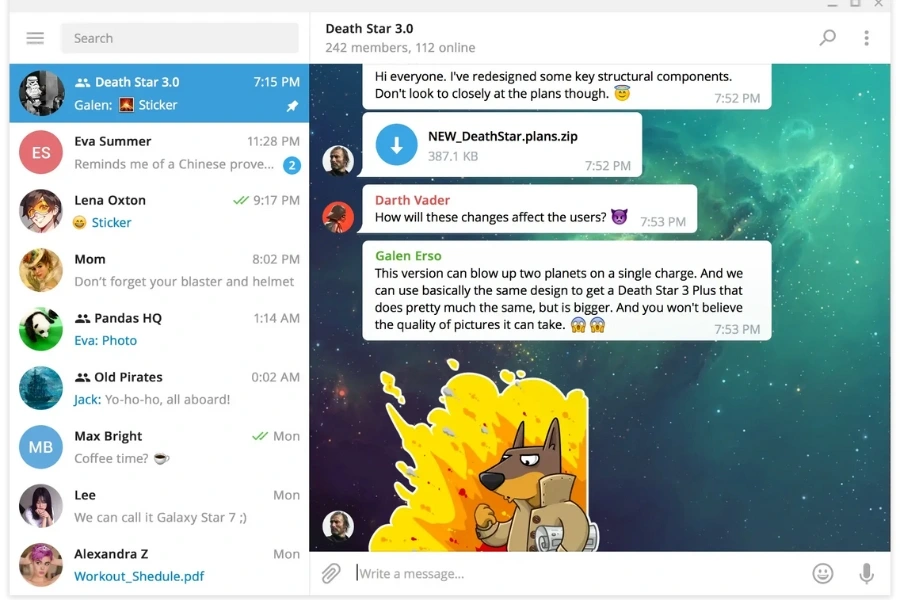
Telegram has quickly become one of the go-to chat platforms like Discord, especially for large groups, communities, and creators. Unlike Discord, which is traditionally known for gaming communities, Telegram thrives as a messaging app that’s popular across various interests, including tech, art, finance, and more.
Pros:
- Large Group Capabilities: Telegram allows for super large groups (up to 200,000 members), making it an excellent choice for creators and communities who want to scale without worrying about hitting limits.
- Super Secure: Telegram has end-to-end encryption for secret chats and provides other privacy features that make it one of the more secure options available, especially when compared to other apps like Discord.
- Customizable Bots and Automations: Thousands of bots for everything from content moderation to scheduling posts and automating community interactions.
- Channel Broadcasting: If you want to broadcast messages to an unlimited audience, Telegram’s Channel feature is perfect. You can share updates, news, and announcements with thousands of followers with ease.
- Cross-Platform Syncing: Telegram syncs seamlessly across all devices (mobile, desktop, web), meaning you can stay connected wherever you are. Plus, you can access your chats from multiple devices without missing a beat.
Cons:
- Lack of Built-In Voice & Video Calls (Full Feature): While Telegram does have voice and video call capabilities, they aren’t as robust or as integrated as platforms like Discord or Microsoft Teams, which are more focused on real-time communication.
- Less Focused on Team Collaboration: Telegram lacks deeper team collaboration features like file management or project management, which are more developed in platforms like Slack or Microsoft Teams.
Pricing:
Telegram is completely free to use. There’s no premium version or hidden costs, making it one of the most accessible options out there. However, advanced features, like setting up custom bots or premium security settings, might require third-party integrations or additional services.
Best For: Privacy-focused and large communities.
Guilded

Guilded is a versatile community and communication platform that stands as a solid alternative to Discord, especially for gamers and communities who need more robust organization and engagement features.
Designed with a focus on gaming, Guilded brings all the tools that gamers and creators need to build and manage communities, offering many of the same features as Discord but with some improvements tailored to the needs of gamers and team-based activities.
Pros:
- Advanced Server Management: Guilded offers extensive server customization, allowing for more precise control over roles, permissions, and channel organization than Discord, perfect for structured communities.
- Rich Event and Calendar Features: Guilded integrates with a powerful calendar feature that helps keep your community organized, easily schedule and manage events.
- Enhanced Chat Functionality: Guilded offers some unique chat features like message reactions, live chat, and the ability to create rich text formatting for discussions, making it easier to engage and interact within your community.
- Integrated Voice and Video Chat: High-quality voice and video calling, supporting up to 50 people in a call, ideal for team meetings, group gaming, or community interactions.
Cons:
- Complex for New Users: Guilded’s plethora of features and settings can feel a bit overwhelming for newcomers, particularly those who aren’t familiar with online community management tools. The interface may take some getting used to.
- Limited Third-Party Integrations: Guilded doesn’t support as many third-party integrations and bots as Discord or Slack, which may limit functionality for users who rely on those integrations.
Pricing:
Guilded is free to use, with optional premium subscriptions available for additional features like enhanced storage and advanced administrative controls. The free version provides most of the core functionality, making it a great option for smaller to medium-sized communities.
Best For: Gaming communities and esports teams.
Element (formerly Riot.im)

Element is a privacy-focused, open-source messaging platform that offers decentralized communication with end-to-end encryption. Built on the Matrix protocol, Element provides a secure environment for users who value their privacy and need more than just basic messaging.
Pros:
- End-to-End Encryption: Element’s communication is fully encrypted, meaning your messages are private and can only be read by the sender and recipient. This makes it a solid choice for those concerned with data privacy.
- Fully Decentralized: Unlike centralized platforms like Discord, Element is based on a decentralized network, giving you more control and reducing the risk of data breaches.
- Cross-Platform Communication: Element works across devices and platforms, from desktop to mobile, without losing functionality. It integrates with other services through the Matrix protocol.
- Open-Source: Element is open-source, allowing developers to customize and extend its features according to their needs.
Cons:
- Steeper Learning Curve: Because Element is built on the Matrix protocol and designed for tech-savvy users, it may be intimidating for newcomers who just want a straightforward chat experience.
- Smaller User Base: While growing, Element’s user base is still smaller compared to more mainstream apps like Discord, which may limit your options for connecting with larger communities.
- Limited Integrations: Element lacks the number of integrations and bots available on Discord, making it less versatile for users looking to extend the app’s functionality.
Pricing:
Element is free to use for individuals and small teams. It also offers premium features, like additional storage and support for larger groups, at a cost. Its open-source nature means there are no subscription fees for basic use.
Best For: Privacy-conscious users, activists, and teams needing secure, decentralized communication.
Tox
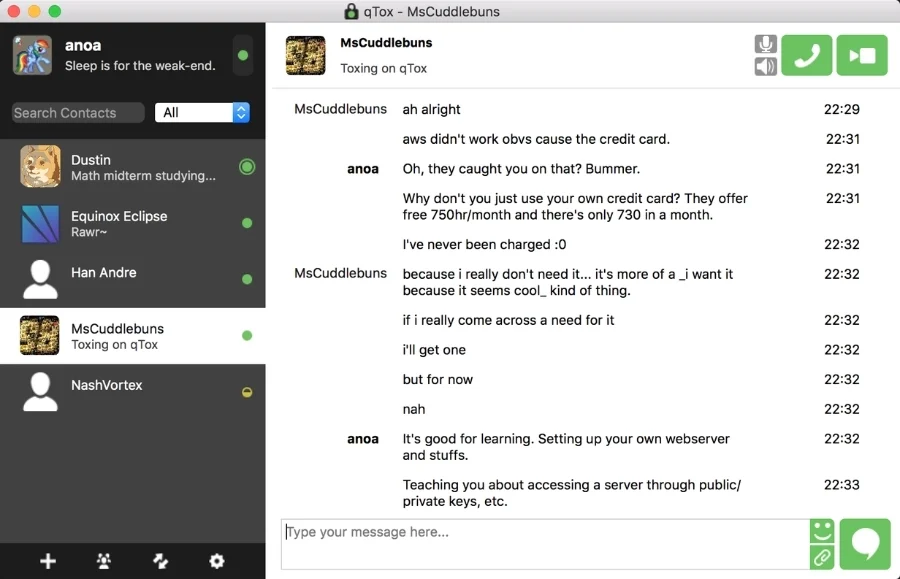
Tox is an open-source, decentralized messaging platform that emphasizes privacy, security, and the absence of third-party involvement. Unlike many other chat apps like Discord, Tox operates without any central servers, ensuring complete decentralization. It’s a great option for anyone who values absolute privacy and doesn’t want their communications stored or monitored by anyone else.
Pros:
- Fully Decentralized: Tox operates without any central servers, making it one of the most secure chat platforms available.
- End-to-End Encryption: Tox uses strong encryption to ensure that all messages, voice calls, and video chats are completely private.
- Completely Open-Source: Anyone can contribute to the project, ensuring transparency and the possibility of customization.
Cons:
- Limited Features: While Tox is great for privacy, its features are relatively basic compared to other platforms like Discord or Slack. It lacks advanced integrations and the ability to create large group servers.
- User Interface: The UI can be a bit outdated and may feel unintuitive for those accustomed to modern chat platforms.
- Smaller Community: Because Tox is decentralized and not as widely used, its user base is smaller, which could be limiting for people looking to connect with larger groups.
Pricing:
Tox is free to use, with no hidden charges or subscription fees. It’s fully open-source, ensuring transparency and no monetization through user data.
Best For: Who want a fully decentralized, peer-to-peer, and highly private messaging platform.
Mumble

Mumble is an open-source VoIP platform designed specifically for gamers. It’s known for its exceptional voice quality and speed, making it a popular choice among communities that rely on real-time communication.
Pros:
- Ultra-Low Latency: Mumble’s biggest draw is its low-latency voice communication, making it ideal for gaming sessions where timing and clarity are critical.
- High-Quality Audio: Mumble offers exceptional audio quality, even in high-demand environments like gaming.
- Open-Source: Mumble is open-source, which means it can be customized and adapted to suit a wide range of use cases.
- Low Resource Usage: Mumble is lightweight and runs smoothly, even on lower-end hardware.
Cons:
- Limited Chat and Features: Mumble is focused solely on voice communication, so it lacks robust text chat features and integrations.
- User Interface: The user interface is quite basic and may feel outdated to those accustomed to more modern platforms.
- Smaller Community: Mumble’s community is much smaller than platforms like Discord, meaning it can be harder to connect with a large group of users.
Pricing:
Mumble is free to use and open-source, with no subscriptions or hidden fees. Users can set up their own Mumble servers for free or choose to rent a dedicated server for a fee.
Best For: Gamers and teams who need crystal-clear communication with minimal lag.
Chanty
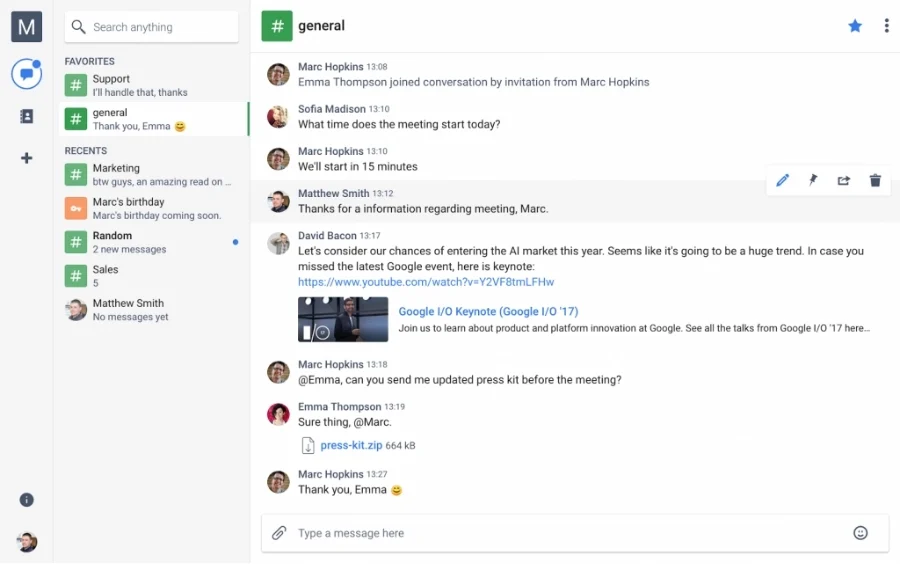
Chanty is a simple team chat tool designed for small to medium-sized businesses. With a focus on ease of use and built-in task management features, Chanty offers a clean interface that makes team communication and collaboration more efficient.
Pros:
- Easy to Use: Chanty offers a simple, user-friendly interface that makes team collaboration straightforward. You don’t have to be tech-savvy to get started.
- Task Management Built-In: Chanty includes task management tools so teams can assign and track tasks directly within the platform, reducing the need for third-party tools.
- Unlimited Messaging: Chanty offers unlimited messaging and file sharing, even on the free plan, making it easy to communicate and share resources with your team.
- Integrations with Popular Tools: Chanty integrates with tools like Google Drive, Trello, and GitHub, helping teams stay organized without switching between apps.
Cons:
- Limited Voice and Video Calls: While Chanty supports voice and video calls, the features are more basic compared to other platforms like Slack or Microsoft Teams.
- Limited Customization: Chanty doesn’t offer as much customization or advanced features for larger teams or more complex workflows.
Pricing:
Chanty is free for small teams (up to 5 users), with premium plans like Business ($3/user/month, billed annually) and Enterprise (contact for price) available for larger teams that need advanced features and unlimited integrations.
Best For: Small teams and businesses looking for a simple chat tool with built-in task management.
TeamSpeak
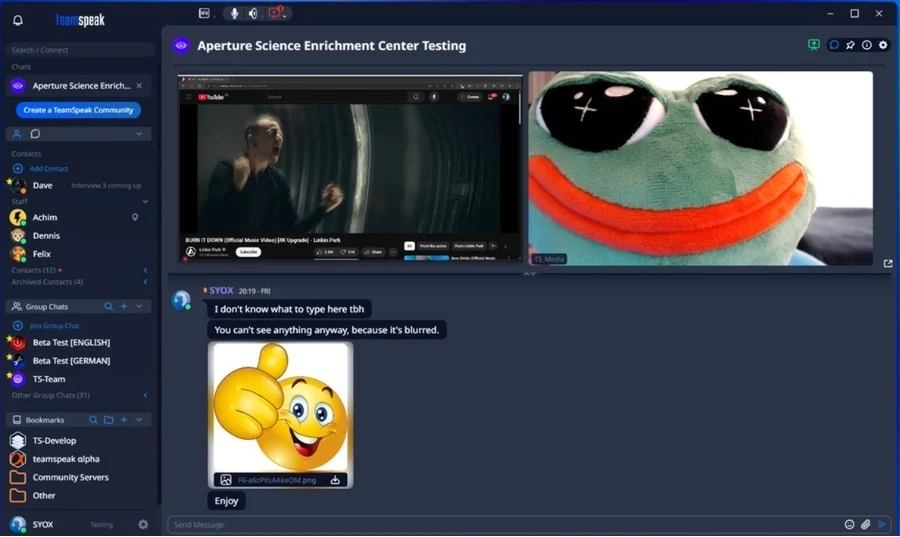
TeamSpeak is a VoIP communication tool that has long been popular among gamers for its low-latency voice chat. While it was originally designed for multiplayer gaming, TeamSpeak has grown into a powerful platform for various types of communities that require crystal-clear audio communication. It remains one of the best chat apps like Discord for people looking for high-quality, low-latency voice calls.
Pros:
- Low-Latency Voice Chat: TeamSpeak’s key feature is its incredibly low-latency voice chat, making it a go-to choice for gamers who need to communicate in real-time without lag.
- Highly Customizable: Users can tailor the platform to their needs by adding plugins, integrations, and skins, making TeamSpeak versatile for various use cases.
- Advanced Permissions: TeamSpeak offers granular permissions, making it easy to manage large communities or teams with different roles and privileges.
- Scalable: TeamSpeak can support large communities, offering dedicated server support for managing hundreds or even thousands of members.
Cons:
- Limited Chat Functionality: TeamSpeak is primarily focused on voice communication, so it lacks some of the more robust text-chat features found in platforms like Discord.
- Less User-Friendly Interface: While powerful, TeamSpeak’s interface is outdated and not as intuitive as other chat apps.
- Smaller Community: TeamSpeak is less popular than Discord, so finding a large community may be more difficult for those new to the platform.
Pricing:
TeamSpeak offers a free version with limited features, but for advanced functionality like dedicated servers and more extensive permissions, a paid subscription is required.
Best For: Gamers and communities needing low-latency voice communication.
Key Features to Look for in Discord Alternatives

So, you’re thinking about jumping ship—or at least exploring other harbors. Before you go all-in on a new platform, it’s worth asking: what actually makes a better Discord alternative?
Here are the standout features to keep an eye on:
- Scalability: Whether you’re managing a small group or thousands of members, your platform needs to grow with you. Look for tools that can handle larger communities without choking up on performance or drowning you in clutter.
- Customization & Branding: Your space, your vibe. The best platforms like Discord let you customize everything from channel layouts and user roles to branded visuals. Whether you’re a creator, a company, or a community manager, that level of control goes a long way.
- Moderation Tools: Trolls happen. So do bots, spam, and chaos. Good moderation tools—like keyword filters, automated bans, user reporting, and role-based permissions—are must-haves for any serious community builder.
- Monetization Options: Let’s be real: if you’re creating content or building a loyal community, you should have the option to monetize it. Features like gated channels, tipping, paid subscriptions, or token rewards make a huge difference for creators.
- Cross-Platform Access: Whether you’re on desktop, mobile, or switching between devices all day, seamless access matters. Bonus points for platforms that offer web versions, mobile apps, and solid notification systems.
- User Experience & Onboarding: Nobody wants to spend an hour figuring out how to start a channel. A better Discord alternative should feel intuitive from the start—with onboarding flows that don’t require a crash course in community management.
- Privacy & Data Control: Let’s not forget about data. If you’re concerned about who sees what, where your data lives, or how user info is handled, consider platforms that prioritize privacy and give users more control over their content.
- Integration: Want your platform to work with your favorite tools—like Google Drive, Notion, or Slack? Maybe even a custom bot or Web3 wallet? Choose alternatives with open APIs or native integrations.
Learn more: 10 Best Group Chat Apps for Effective Team Collaboration
Conclusion: Which Discord Alternative Should You Choose?
Switching away from Discord isn’t about finding a “clone”—it’s about finding a platform that solves the specific problems you’re facing, whether it’s privacy, high subscription costs, or a lack of professional tools.
- For Businesses & Large Teams: Slack and Microsoft Teams remain the gold standards for workflow and deep integrations.
- For Gamers & Esports: Guilded and TeamSpeak offer the low-latency and specialized features (like calendars) that Discord lacks.
- For Privacy Enthusiasts: Element and Tox provide the decentralization and encryption needed for total data control.
- For Community Builders & Creators: Beincom is the next-gen choice, offering a unique blend of structured content, Web3 rewards, and a “Social Hub” that actually prioritizes community engagement over noise.
There is no “one-size-fits-all” answer. The best way to find your perfect match is to identify your top priority—be it security, scalability, or fun—and test 2 or 3 options from this list. In 2026, the digital space is more diverse than ever, so don’t settle for a platform that limits your community’s growth.
Beincom