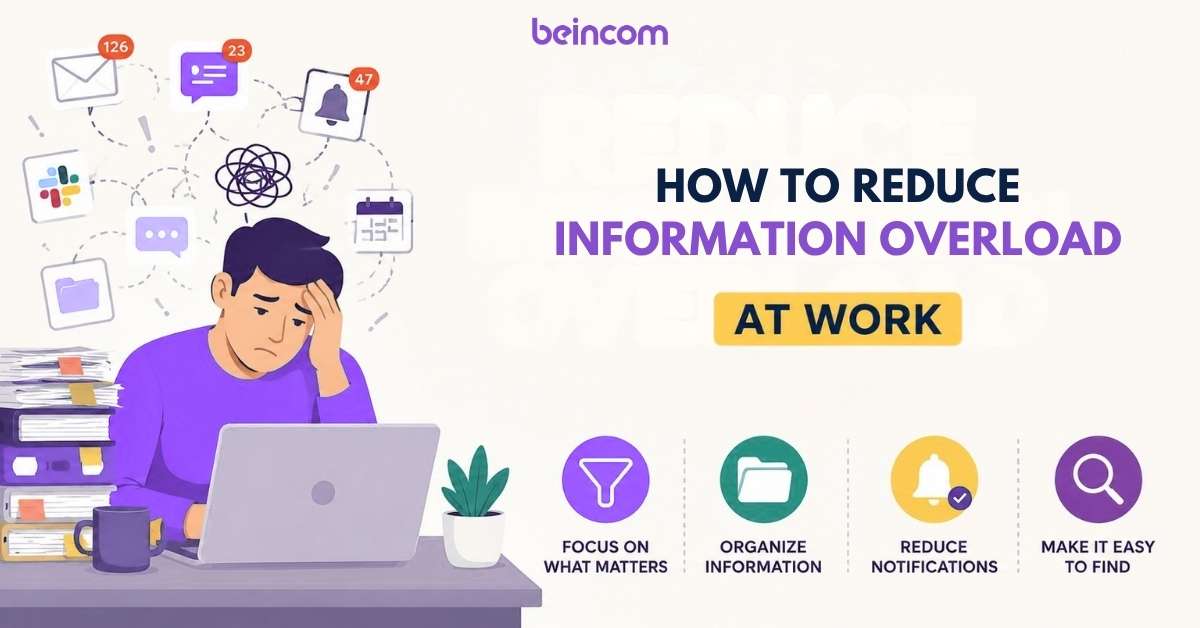
In a 2026 workspace that pings every few seconds, learning how not to miss important messages is a survival skill. We’ve all been there: you step away for a coffee and return to a wall of 50 notifications, unable to tell which is a “fire” and which is just a “thanks” emoji.
The problem isn’t your focus—it’s the noise. To stay on top of your work, you need to stop reacting to every red dot and start mastering your workplace notification management. Here’s how to declutter the chaos and ensure you never overlook a critical update again.
Optimize Your Notification “Signal-to-Noise” Ratio
The primary reason people miss important messages at work isn’t a lack of alerts—it’s too many of them. In 2026, the key to staying informed is increasing the “Signal” (critical info) while aggressively cutting the “Noise” (everything else).
Mute the “Watercooler” Noise
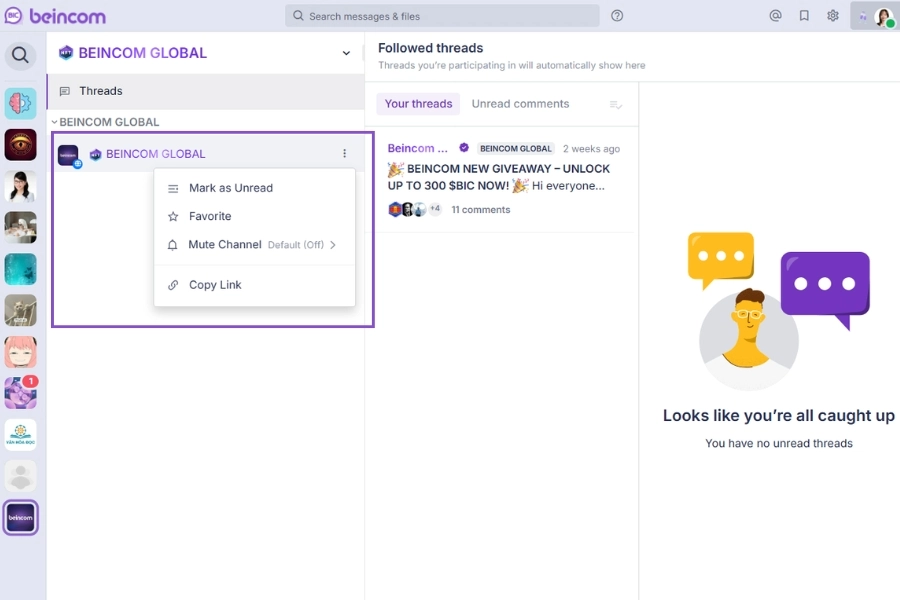
If your internal communication tool has channels for social updates, memes, or general news, mute them. Set these channels to “Mentions Only.” You can still check them during your break, but they won’t trigger a red dot or a ping that distracts you from high-priority tasks.
It trains your brain to realize that when a notification does appear, it’s actually worth your attention.
Desktop vs. Mobile Boundaries
Mastering how not to miss important messages requires different settings for different devices.
- Desktop (Deep Work): Enable banner notifications only for direct @mentions and DM’s from your immediate Inner Circle.
- Mobile (On-the-go): Turn off all badge counts except for true emergencies. This prevents “notification blindness,” where you stop checking your app because the badge number is always in the hundreds.
Implement Custom Alert Tones
Not all colleagues have the same level of urgency.
- Priority Alerts: Most modern team collaboration tools allow you to set custom notification sounds for specific people (like your manager) or high-stakes project groups.
- Auditory Cues: By assigning a unique sound to your most important “Inner Circle,” you’ll know instantly if you need to switch tasks without even looking at your screen.
Implement a “Search-First” Information Hierarchy
Most people miss important messages at work because their tools are “flat.” In a typical chat app, every message has the same visual weight. A “Happy Birthday” GIF looks exactly like a “Q1 Budget Finalized” alert in your sidebar. To fix this, you need to organize your digital space so that the most important information is the easiest to find.
Use Action-Oriented Channel Prefixes
If your team uses a long list of channels, search becomes a nightmare. Start using “Search Prefixes” to categorize your workspace visually and technically.
- [Action]: For channels where tasks are assigned.
- [Info]: For read-only announcements.
- [Feedback]: For brainstorming and reviews.
When you use a team collaboration tool with a search-first mindset, you can filter for “[Action]” and instantly see every high-priority thread you might have overlooked.
The Power of “Inner Circles”
One of the most effective ways to prevent information overload is to move away from massive, company-wide channels. Instead, adopt an Inner Circle Structure.
Instead of one #marketing channel, create an “Inner Circle” for specific sub-teams (e.g., SEO, Social Media, Product Launch).
By only being a member of the circles relevant to your daily tasks, you cut out 80% of the noise. On Beincom, this hierarchical structure ensures that when you get a notification, it’s actually within your “line of sight.”

Standardize the “3-30-3 Rule” for Announcements
To ensure your team doesn’t miss important messages, teach them to structure posts for different reading speeds:
- 3 Seconds: A clear, bolded headline.
- 30 Seconds: A bulleted summary of the key “Ask.”
- 3 Minutes: The full context and background.
Pro Tip: This makes your internal communication searchable and scannable, ensuring that even the busiest executive can catch the “Signal” in seconds.
Master Asynchronous “Catch-Up” Routines
Checking your messages every five minutes isn’t “staying on top of things”; it’s a distraction that leads to information fragmentation. To ensure you never overlook a critical update, you need to transition to a structured, asynchronous communication.
The “3-Times-a-Day” Batching Rule
Stop being a slave to the red dot. Instead of reactive checking, set three 20-minute windows in your calendar (e.g., morning, post-lunch, and end of day) specifically for team collaboration catch-up.
- Morning: Scan for urgent “Blockers” that prevent you from starting your work.
- Post-Lunch: Catch up on discussions that happened while you were in deep work.
- End of Day: Final audit to ensure no action items are left hanging.
When you dedicate a specific block of time to reading, you process the information deeply instead of just skimming.
Use “Save for Later” as a Visual To-Do List
Most people miss important messages because they read them, realize they can’t act on them yet, and then the message scrolls away.
- The Workflow: If a message requires more than a 2-minute response, “Save,” “Star,” or “Bookmark” it immediately.
- The Routine: Treat your “Saved” folder as your actual work queue. By the end of the day, that folder should be empty. This turns your internal communication tool into a reliable task manager.
The “Deep Work” Status Protocol
You can’t learn how not to miss important messages if you’re too afraid of missing one to actually work.
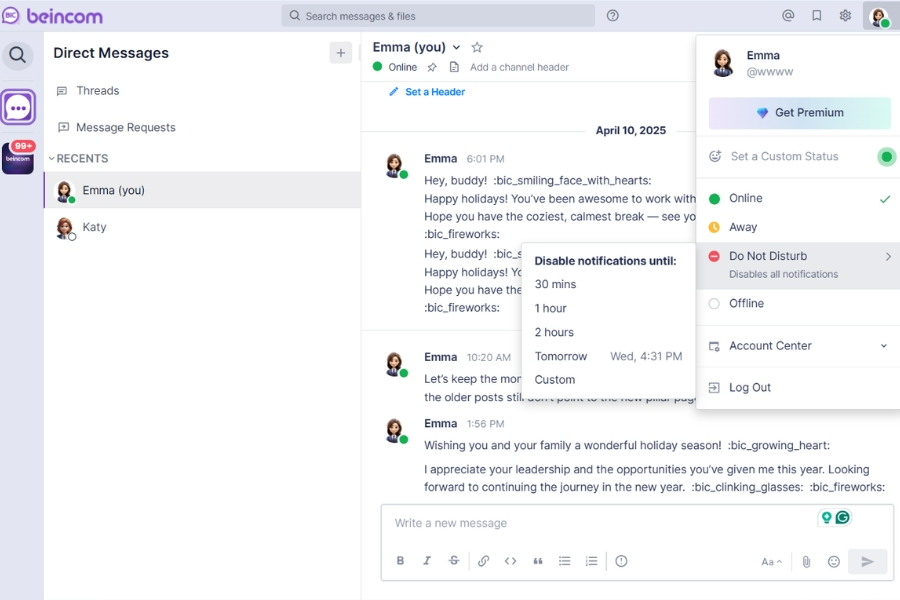
- Manage Expectations: Use your status to show “Deep Work: Back at 2 PM.”
- Emergency Override: Tell your team, “If it’s a true 10/10 emergency, tag me in the [Critical] thread.” This psychological safety allows you to close your apps and focus, knowing that your notification management system will catch the “fires” for you.
Establishing Team Communication Protocols
Communication is a team sport. When everyone follows the same workplace communication strategies, the “noise” drops significantly, and the “signal” becomes impossible to ignore.
The Rule of @Mentions
If you tag everyone, you tag no one. Overusing @channel or @here is the fastest way to cause notification fatigue.
- The Protocol: Use @everyone only for company-wide emergencies. For specific tasks, tag the individual or a specific Inner Circle.
- The Result: This restores the “Urgency” of a notification. When a team member sees a red badge, they know it’s specifically for them, not just another piece of general chatter.
Strict Threading for Decision Context
Nothing causes people to miss important messages at work like a decision buried in a “flat” conversation of 100 random comments.
- The Rule: Every new topic gets a new post. Every reply to that topic must happen in a thread.
- Why it works: Threading creates a “folder” for every conversation. If a colleague is away for two hours, they can look at the Beincom thread and see the conclusion immediately, rather than scrolling through a graveyard of irrelevant chat bubbles.
The “Closing the Loop” Emoji System
Sometimes, the most important message is the one that says, “I got this.”
The System: Use standard emoji reactions to signal status:
- (Eyes) = “I have seen this and am looking into it.”
- ✅ (Check) = “This task is completed.”
- ❌ (Cross) = “There is a blocker; see my comment below.”
This reduces “Reply Noise.” You don’t need to read 10 “Got it” messages. One reaction tells you everything you need to know, keeping your team collaboration feed clean and focused.
The Role of Structured Communication Platforms
Most missed messages aren’t a human failure—they are a design failure. Traditional chat apps like Slack or Microsoft Teams use a “Flat Chat” architecture. This means every message, regardless of importance, is dumped into a chronological stream. If you aren’t looking at your screen when a critical update happens, it’s instantly pushed “below the fold” by five other people saying “Thanks!” or “Acknowledged.”
Flat Chat vs. Organized Communities
The “Infinite Scroll” is the enemy of retention. When your internal communication tool is just one long list of text bubbles, your brain treats it like social media—you scan, you consume, and you forget.
In flat systems, search is reactive. You only look for info after you realize you’ve lost it. Structured platforms like Beincom are built on a “Community-First” architecture. Instead of a single stream, they use a hierarchical layout that separates “Quick Chat” from “Permanent Knowledge.”
How Beincom’s Inner Circle Structure (ICS) Saves You
Beincom solves the problem of how to not miss important messages by physically separating your work into distinct layers.
- Top-Level Circles: High-level announcements that stay at the top of your feed. These are impossible to miss because they aren’t buried by daily chatter.
- Nested Sub-Groups: Instead of one massive #project-marketing channel, you have specific “Inner Circles” for Design, Content, and Analytics.
You only get notified for the circles you are active in. By reducing the total volume of messages reaching your inbox, the ones that do arrive carry much higher weight and visibility.
The Threaded Conversation Advantage
Even within a specific circle, things can move fast. This is where Beincom’s threaded conversation feature becomes your best friend.
- Maintain Context: On BIC Chat, every initiating message can start a separate Thread. This prevents 10 different topics from getting tangled in the main chat frame.
- Selective Focus: You can choose to Follow or Unfollow specific threads. If a technical bug is being discussed and you aren’t a developer, you can unfollow that thread to stop receiving notification clutter, while still staying active in the main group.
- No Message Loss: By organizing discussions into these neat “sub-folders” within the chat, multiple parallel conversations can happen simultaneously without a single key decision getting lost in the noise.

Summary Checklist: Your Daily “No-Miss” Audit
Before you close your laptop for the day, run through this 5-minute checklist to ensure your workplace notification management is working for you:
- Inbox Zero (Saved Edition): Did you clear or action every message in your “Saved” or “Pinned” folder?
- The Mentions Scan: Did you perform a final search for your @username to catch any threads where you were tagged but didn’t reply?
- Inner Circle Review: Did you check the top-level announcements in your high-priority groups?
- Status Update: Is your status set correctly for your next block of time (e.g., “Offline – Back at 9 AM”) to manage team expectations?
- Mute Audit: Did any channel become a “noise generator” today? If so, mute it now.
Frequently Asked Questions
1. How do I tell my boss I’m muting notifications for deep work?
Transparency is key. Don’t just disappear; set a clear status like “Deep Work: Checking messages at 11 AM and 3 PM.” Most managers value high-quality output over instant replies, as long as they know when you’ll be back online.
2. What is the best way to flag a message as “Urgent” without being annoying?
Reserve urgency for true “blockers.” Use clear prefixes like [URGENT: Approval Needed] and tag only the essential people. If you treat everything as urgent, your team will eventually develop “notification blindness” to your pings.
3. I feel anxious when I don’t check messages instantly. How do I stop?
This is “FOMO” (Fear Of Missing Out). Start small: close your communication app for just 30 minutes. Once you realize the world didn’t end and you actually got work done, increase the window. Trust your internal communication tools to hold the info for you.
4. How can I catch up on messages after being on vacation?
Don’t read chronologically. Start with your @mentions first to see where you are specifically needed. Then, look at the Inner Circle summaries or “Pinned” posts to get the big picture before diving into the individual chat bubbles.
5. Why is a community-style platform better than a chat app for missing messages?
Chat apps are built for speed (synchronous), meaning messages disappear as new ones arrive. Community platforms like Beincom are built for knowledge (asynchronous), using a hierarchical structure that keeps important threads visible and organized regardless of when they were sent.
Read more: 60+ Good Morning Messages to Inspire Your Team Every Day
Beincom