

Everyone wants to be more productive, but working longer hours isn’t the answer. That’s why more people are searching for how to use AI for productivity — not to replace their work, but to make everyday tasks faster, easier, and far less mentally exhausting.
AI can help you offload repetitive tasks, organize information, and think more clearly so you can focus on what actually matters. In this practical guide, you’ll learn simple, real-world ways to use AI to boost productivity — even if you’re just getting started. Keep reading to discover how AI can fit naturally into your daily workflow and help you get more done with less effort.
Why Use AI for Productivity?
AI is no longer a future concept. It’s a practical tool people use every day to work faster, stay focused, and reduce unnecessary effort. The real value of AI for productivity comes from how it supports your workflow, not how advanced the technology is.
Save Time on Repetitive Tasks
Many daily tasks consume time without adding much value — drafting emails, summarizing documents, formatting content, or organizing notes. AI can handle these actions in seconds, freeing up hours each week that you can redirect toward meaningful work.
Instead of starting from a blank page or repeating the same steps, AI helps you move forward instantly.
Reduce Mental Overload and Decision Fatigue
Constant decision-making drains focus and energy. AI helps by organizing information, highlighting key points, and turning complex inputs into clear outputs. This reduces cognitive load and makes it easier to decide what to do next.
With fewer mental interruptions, your productivity becomes more consistent throughout the day.
Improve Focus on High-Impact Work
When routine tasks are handled by AI, you can spend more time on work that requires creativity, strategy, and problem-solving. This shift from execution-heavy work to thinking-driven work is where productivity truly improves.
AI supports your process in the background, allowing deeper concentration on tasks that matter.
Work Faster Without Sacrificing Quality
Speed often comes at the cost of quality, but AI helps balance both. By generating drafts, suggestions, and structured outputs, AI reduces errors and improves clarity while accelerating execution.
You remain in control of the final result, but you reach it faster and with less friction.
Scale Your Output Without Working Longer Hours
Whether you’re managing projects, creating content, or learning new skills, AI allows you to produce more without extending your workday. This makes AI especially valuable for professionals, students, and creators who need consistent output without burnout.
Productivity improves not because you work harder, but because your system works better.

How to Use AI for Productivity
The most effective way to use AI for productivity is to apply it to tasks you already do every day. You don’t need complex systems or advanced prompts. Small, targeted use cases create the biggest impact.
Use AI for Task and Time Management
AI can help you plan your day, prioritize tasks, and stay focused without constantly switching tools. By turning unstructured thoughts into organized action items, AI reduces planning time and helps you start faster.
You can use AI to:
- Create daily or weekly task lists
- Break large projects into manageable steps
- Identify priorities based on urgency and importance
- Summarize meetings into clear action items
Common tools used for this purpose include: ChatGPT, Notion AI, ClickUp AI, Asana Intelligence, Microsoft Copilot
Instead of manually organizing everything, AI helps you maintain momentum and clarity throughout the day.
Use AI for Writing and Communication
Writing is one of the biggest time sinks at work. AI significantly speeds up communication while keeping messages clear and professional.
Common productivity uses include:
- Drafting emails and messages
- Rewriting content for clarity or tone
- Creating reports, proposals, or documentation
- Turning bullet points into structured text
Popular tools for AI-powered writing and communication include: ChatGPT, Grammarly, Jasper, Writesonic, QuillBot
AI helps you move from idea to draft quickly, allowing you to focus on refining rather than starting from scratch.
Use AI for Research and Learning
Finding, reading, and understanding information takes time. AI shortens this process by extracting key insights and simplifying complex topics.
AI can help you:
- Summarize long articles or documents
- Explain difficult concepts in simple terms
- Compare multiple sources or ideas
- Generate quick research outlines
Commonly used AI research and learning tools include: Perplexity AI, ChatGPT, Claude, Elicit, Consensus, Explainpaper
This makes learning faster and decision-making more informed, especially when time is limited.
Use AI to Automate Repetitive Work
Many productivity issues come from repeating the same actions every day. AI helps reduce this friction by automating routine workflows.
Typical examples include:
- Scheduling and calendar coordination
- Data entry and basic analysis
- File organization and tagging
- Workflow triggers between tools
Popular AI and automation tools include: Zapier, Make (formerly Integromat), IFTTT, Bardeen, Microsoft Power Automate
Automation allows you to maintain consistency while minimizing manual effort.
Use AI as a Thinking and Brainstorming Partner
AI is not only for execution. It also supports creative and strategic thinking by helping you explore ideas more efficiently.
You can use AI to:
- Brainstorm ideas or solutions
- Generate outlines and frameworks
- Improve existing ideas
- Explore alternative approaches
Common tools used for brainstorming and ideation include: ChatGPT, Claude, Google Gemini, Notion AI
Instead of staring at a blank page, AI gives you a starting point and helps ideas evolve faster.

How to Start Using AI for Productivity (Step-by-Step Guide)
If you’re new to AI, the biggest mistake is trying to change everything at once. Productivity improves faster when AI is introduced gradually and intentionally, starting with the tasks that slow you down the most.
This step-by-step approach keeps things simple and practical.
Step 1: Identify Your Biggest Time Wasters
Before choosing any tool, take a short pause and identify where your time actually goes. AI works best when it solves a specific friction point, not a vague goal like “be more productive.”
Common productivity bottlenecks include:
- Writing repetitive emails or reports
- Planning tasks and prioritizing work
- Researching and summarizing information
- Switching between too many tools
Once you know what consumes the most time or energy, it becomes easier to decide where AI fits.
Step 2: Start With One AI Tool Only
Using too many tools at once creates confusion and reduces adoption. Start with one primary AI tool and use it consistently.
Most people begin with an AI chat assistant such as ChatGPT, Claude, Google Gemini, and Grok.
These tools are flexible enough to handle planning, writing, research, and brainstorming in one place, making them ideal for beginners.
Step 3: Apply AI to One Daily Task
Instead of experimenting randomly, choose one task you already do every day and use AI only for that task.
Examples of good starting points:
- Daily task planning
- Email drafting
- Content outlining
- Meeting summaries
This creates a habit loop. Once you see clear time savings in one area, expanding becomes natural instead of overwhelming.
Step 4: Build Simple AI Workflows
After AI becomes part of your routine, you can begin connecting tasks into small workflows. This does not require technical knowledge or complex automation.
Examples of simple workflows:
- Plan the day → generate task list → prioritize
- Draft content → rewrite for clarity → finalize
- Research topic → summarize → extract action points
At this stage, tools like Notion AI, ClickUp AI, or basic automation platforms can help streamline work without adding complexity.
Step 5: Review and Optimize Regularly
AI productivity is not set-and-forget. The goal is continuous improvement, not perfection.
Every few weeks, ask:
- Is this tool saving me time?
- Is it reducing mental effort?
- Am I using it consistently?
If a tool adds friction instead of removing it, remove it. Productivity improves when AI supports your workflow, not when it controls it.
Step 6: Avoid Over-Automation
Not every task should be automated. Some work benefits from human judgment, creativity, and context.
AI should be used to:
- Support thinking
- Reduce repetitive effort
- Improve clarity and speed
It should not replace decision-making or accountability. The most productive systems balance automation with intentional human input.
Starting small is what makes AI sustainable. Once AI becomes a natural extension of how you work, productivity gains compound over time without extra effort.
Learn more: How to Create a Digital Workplace That Boosts Productivity
Common Mistakes When Using AI for Productivity
AI can significantly improve productivity, but only when it’s used with clear intent. Many people feel disappointed with AI results not because the tools are ineffective, but because of how they are applied. Avoiding the mistakes below will help you get consistent, long-term productivity gains.
Trying Too Many AI Tools at Once
One of the most common mistakes is adopting multiple AI tools at the same time. This often leads to fragmented workflows, duplicated effort, and confusion about which tool does what.
Productivity improves faster when you:
- Start with one core AI tool
- Master it before adding another
- Build habits before expanding your stack
A smaller toolset used consistently is far more effective than a large, unused one.
Expecting AI to Work Without Clear Input
AI is only as useful as the instructions it receives. Vague prompts often produce vague results, which leads users to believe the tool is ineffective.
To avoid this:
- Be specific about the task
- Provide context when needed
- Clearly define the desired output
Clear input leads to clearer output and better productivity.
Blindly Trusting AI Output
AI can assist with execution, but it should not replace human judgment. Relying entirely on AI-generated content without review can result in errors, inconsistencies, or poor decisions.
Use AI as:
- A drafting assistant
- A thinking partner
- A productivity support tool
Always review and refine the final output before using it in real work.
Over-Automating Important Tasks
Automation is powerful, but not every task should be automated. When critical thinking or context matters, full automation can reduce quality instead of improving productivity.
AI works best when it:
- Handles repetitive or low-risk tasks
- Supports decision-making, not replaces it
- Reduces friction, not oversight
Balance automation with intentional human involvement.
Using AI Without Clear Productivity Goals
Using AI “just to try it” often leads to inconsistent results. Without clear goals, it’s difficult to measure whether AI is actually improving productivity.
Before using AI, ask:
- What problem am I trying to solve?
- How much time should this save?
- What does success look like?
Productivity improves when AI is tied to specific, measurable outcomes.
Avoiding these mistakes helps ensure AI becomes a reliable productivity tool instead of a distraction.
Is AI Really Making You More Productive?
Using AI feels productive, but real productivity is about results, not activity. To understand whether AI is actually helping, you need to look beyond how often you use the tools and focus on what changes in your output and workflow.
Productivity vs. Busyness
One of the biggest traps of modern work is confusing busyness with productivity. AI can generate more content, more tasks, and more ideas — but more is not always better.
AI improves productivity when it:
- Reduces time spent on routine tasks
- Helps you focus on high-impact work
- Improves clarity and decision-making
- Reduces mental fatigue
If AI adds steps or creates extra work, it may be increasing activity without improving outcomes.
Key Signs AI Is Improving Your Productivity
You can tell AI is working for you when:
- Tasks take less time to complete
- You start work faster with less friction
- You spend more time on strategic or creative tasks
- Your workload feels more manageable
These signals matter more than how advanced or automated your system looks.
Simple Ways to Measure AI Productivity Gains
You don’t need complex metrics to evaluate productivity. A few simple checks are often enough.
Ask yourself:
- Did this task take less time than before?
- Did AI reduce effort or mental load?
- Did the quality of output improve or stay consistent?
If the answer is yes, AI is serving its purpose.
When AI Is Not the Right Tool
AI is not always the best solution. Tasks that require deep human judgment, emotional intelligence, or ethical decision-making should not be delegated entirely to AI.
Using AI selectively helps maintain quality while still benefiting from efficiency.
Using AI as a Long-Term Productivity Partner
The most productive users treat AI as a support system, not a shortcut. Over time, AI becomes integrated into how work is planned, executed, and reviewed.
Productivity improves gradually as habits form and workflows evolve, not from one-time experimentation.
The Future of AI and Productivity
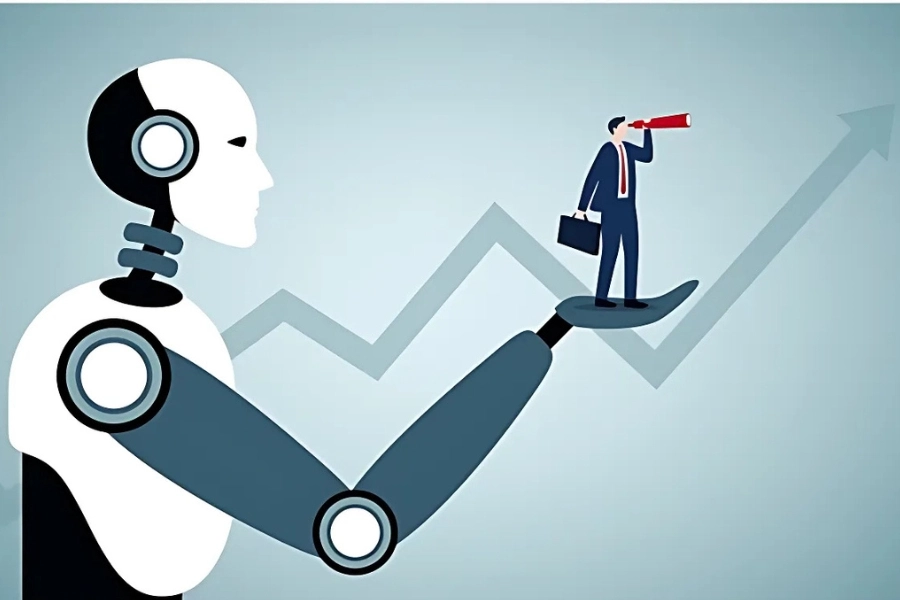
AI is moving quickly from a helpful tool to an integrated part of how people work. In the near future, productivity will be less about managing apps and more about working alongside intelligent systems that understand context, goals, and preferences.
From Tools to AI Assistants
Today, most AI tools respond to instructions. The next stage of AI productivity is proactive assistance. Instead of asking AI what to do, AI will anticipate needs, surface relevant information, and suggest actions automatically.
This shift will reduce:
- Context switching between tools
- Manual planning and coordination
- Time spent searching for information
AI assistants will increasingly act as a central layer across tasks, communication, and knowledge.
AI Agents and Autonomous Workflows
AI agents are designed to handle multi-step tasks with minimal supervision. Rather than completing one action at a time, they can plan, execute, and adjust workflows independently.
In productivity contexts, this means:
- Coordinating tasks across tools
- Managing routine processes end-to-end
- Monitoring progress and flagging issues
Human involvement shifts from execution to oversight and decision-making.
Personalized Productivity Systems
Future AI systems will adapt to individual work styles instead of forcing users into rigid frameworks. Productivity will become more personal and context-aware.
AI will learn:
- How you prioritize work
- When you are most focused
- What types of tasks drain or energize you
This personalization will make productivity systems feel less mechanical and more supportive.
Human–AI Collaboration Becomes the Standard
The most effective productivity systems will not replace humans, but enhance them. Creativity, judgment, and strategy remain human strengths, while AI handles structure, speed, and scale.
Productivity improves most when:
- Humans define goals and direction
- AI supports execution and organization
- Both work together in a feedback loop
This balance will define high-performing individuals and teams.
Conclusion: Start Small and Build Smarter
Learning how to use AI for productivity does not require complex systems or advanced knowledge. The biggest gains come from small, practical changes applied consistently. When AI is used intentionally, it helps reduce friction, improve focus, and create more space for meaningful work.
If you’re looking for a platform where AI, productivity, and community-driven growth come together, Beincom is worth exploring.
Beincom is building a Web3-powered social ecosystem that helps creators and professionals collaborate, learn, and grow more efficiently — with AI-supported tools and real ownership at its core.
Start small, experiment with AI inside real workflows, and build a productivity system that works for you, not against you.
FAQs
Q1. Is AI good for productivity?
Yes, when used intentionally. AI improves productivity by reducing repetitive work, improving focus, and supporting faster execution. Results depend on how clearly tasks and goals are defined.
Q2. Can beginners use AI for productivity?
Absolutely. Many AI tools are beginner-friendly and require no technical background. Starting with a single AI chat assistant is often the easiest entry point.
Q3. Is it safe to use AI at work?
In most cases, yes, but it depends on company policies and data sensitivity. Avoid sharing confidential information and follow internal guidelines when using AI tools.
Q4. Will AI replace productivity apps?
AI is more likely to enhance existing productivity apps rather than replace them entirely. Many platforms are integrating AI to improve functionality instead of rebuilding from scratch.
Beincom


