Have you heard about BIC Chat? Discover Beincom’s unique chat tool, where you can effortlessly connect with communities, create groups, and chat one-on-one in real time!
What is BIC Chat?
Beincom is a pioneering social platform designed to build dynamic communities with transparent connections and clear content engagement metrics.
Beincom is built on 2 key tools:
- BIC Group: A platform for organizing and growing communities, connecting members with shared interests and goals.
- BIC Chat: A robust chat tool designed specifically for community and one-on-one conversations within the Beincom network.
BIC Chat is optimized for smooth and convenient communication, allowing users to exchange information, share ideas, and build stronger connections effortlessly.

Why choose BIC Chat?
In an ever-evolving digital world, having an effective and seamless communication tool tailored to community needs is essential. BIC Chat offers a comprehensive solution to connect and maintain engagement among members efficiently.
Auto-generated chat channels
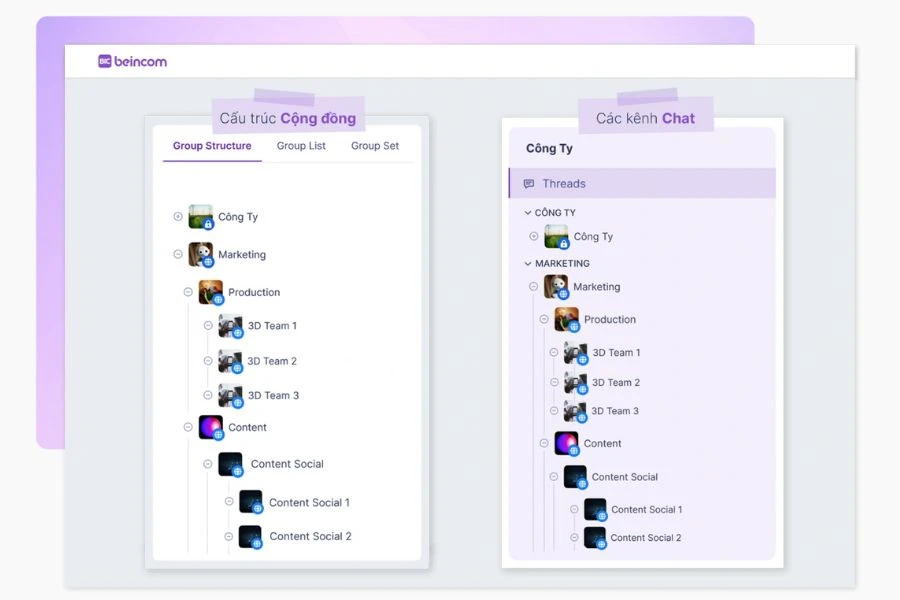
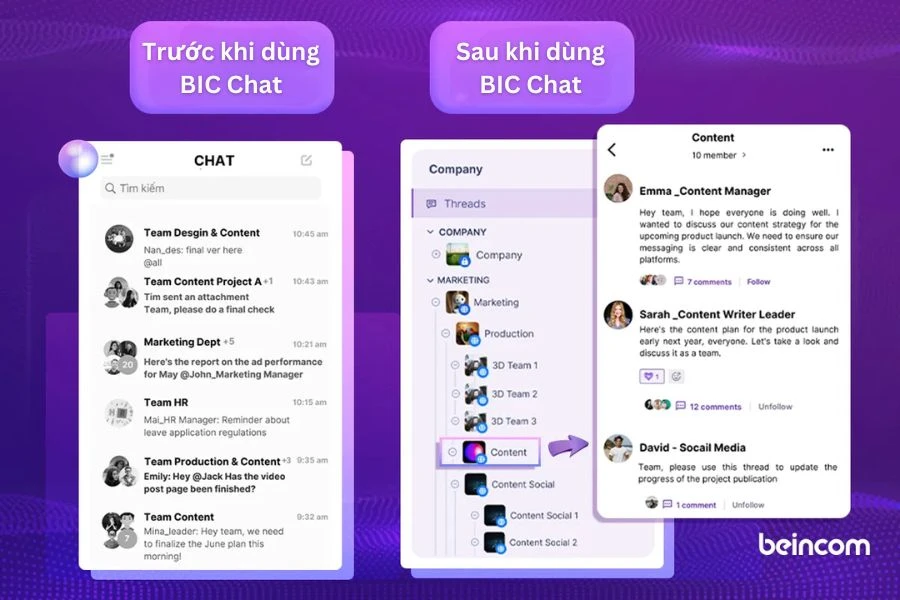
When joining a community or group on BIC Group, chat channels are automatically created, including all group members. Everything is organized into an intelligent folder structure, making it easy for users to search and follow conversations.
You can also start 1-on-1 chats or create new chat channels on BIC Chat without needing additional group setups in BIC Group.
Threads mechanism
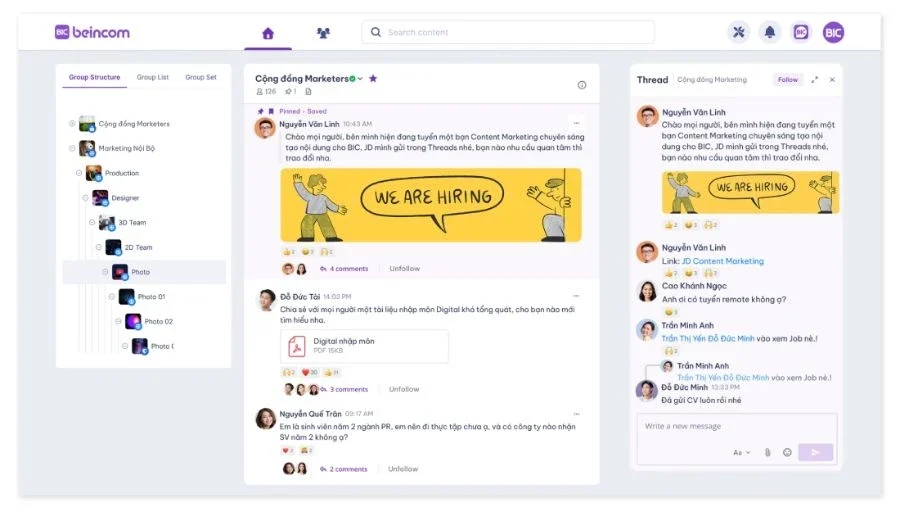
BIC Chat utilizes a Thread mechanism, where conversations are organized clearly and coherently. A single initiating message creates a separate Thread, allowing members to focus discussions without messages getting lost among others.
By organizing messages into Threads, multiple conversations on different topics can be created simultaneously without causing notification clutter or confusion.
Users can follow or unfollow Threads, optimizing their experience and ensuring they only receive notifications from topics they genuinely care about.

Unlimited members
BIC Chat supports up to 50 internal groups, organized into 9 hierarchical levels, enabling structured conversations by department, project, or specific topics. Notably, there are no limits on the number of members or messages, offering flexibility and scalability as communities grow.
User-friendly experience
The interface is minimalist yet feature-rich, allowing users to navigate effortlessly. Features like quick message search, pinned conversations, and customizable notifications ensure a smooth and efficient communication experience.
BIC Chat isn’t just a chat tool—it’s a bridge connecting communities, making every conversation meaningful and impactful.
Example:
Imagine joining a cat-loving community on Beincom. As soon as this community is created on BIC Group, a shared chat channel on BIC Chat automatically appears, where members can share adorable cat photos, exchange care tips, or discuss proper diets.
You can also create separate chat channels for specific topics like “Daily Cat Photos” or “Stray Cat Support.” With the Threads feature, focused conversations such as “How to train cats to use the litter box” remain organized and easy to follow.
Additionally, you can chat 1-1 with like-minded friends for private discussions, and your cat-loving community has become more connected, engaging, and efficient than ever!
Detailed comparison of BIC Chat with other platforms
| Features | BIC Chat | Messenger | Slack | |
| Free to use | ✅ | ✅ | ❌ | ✅ |
| User friendly interface | ✅ | ✅ | ✅ | ✅ |
| Threads mechanism | ✅ | ❌ | ✅ | ❌ |
| Unlimited number of members | ✅ | ❌ | ❌ | ❌ |
| Group hierarchy (multi-level) | ✅ | ❌ | ✅ | ❌ |
| Integrate external tools | ❌ | ❌ | ✅ | ❌ |
| For the large community | ✅ | ❌ | ❌ | ❌ |
| Message Security | ✅ | ✅ | ✅ | ✅ |
| Advanced message search | ✅ | ❌ | ✅ | ❌ |
BIC Chat vs Messenger
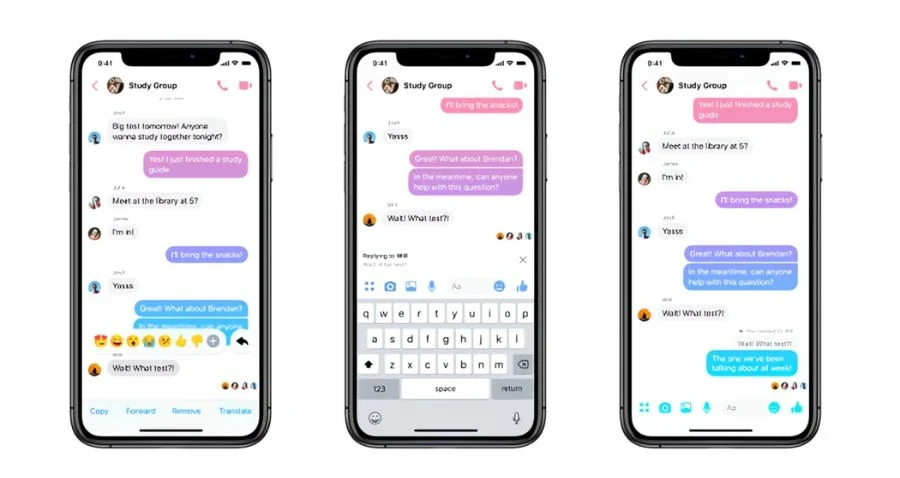
Messenger is a popular messaging app developed by Facebook (Meta), designed for personal connections and small group interactions, offering features such as video calls, voice chats, and chatbot integration.
Advantages of Messenger:
- Widely Popular: Almost anyone with a Facebook account has Messenger.
- Stable Video and Voice Calls: Easy connection with multiple people.
- Chatbot Integration: Convenient interaction with businesses and services.
Disadvantages of Messenger:
- Limited Group Management: No hierarchical or folder-like organization.
- Message Overload: Important messages can get lost in active groups.
- Lacks Threads: Cannot separate conversations into specific discussion threads.
What makes BIC Chat stand out?
- Automatic Chat Channels: Auto-create organized chat channels within communities.
- Smart Threads: Easily manage and track specific topics.
- Clear Group Hierarchy: Supports multi-level organization, suitable for large communities
BIC Chat vs Slack
Slack is a popular team communication tool, primarily used in professional and business environments.
Advantages of Slack:
- Professional Threads: Allows discussions within specific topics without cluttering the main chat.
- Extensive App Integration: Easily connects with tools like Trello, Asana, and Google Drive.
- Powerful Search: Quickly finds messages and files.
Disadvantages of Slack:
- High Costs: Advanced features require a paid plan.
- Message Limitations: The free version limits message history.
- Limited Community Features: Designed mostly for internal teams, not optimized for large communities.
What makes BIC Chat stand out?
- No Member Limits: Supports large communities without needing to pay for expansion.
- Automatic and Flexible Chat Channels: Easily create chat channels for communities or small groups.
- Supports Open Communities: Suitable for both large open communities and internal groups.

BIC Chat vs WhatsApp
WhatsApp is a globally popular messaging app focused on personal and small-group connections.
Advantages of WhatsApp:
- Easy to Use: User-friendly, simple interface.
- High Security: End-to-end encryption.
- Stable Voice/Video Calls: Suitable for small groups and families.
Disadvantages of WhatsApp:
- Group Size Limit: Only supports up to 1,024 members per group.
- No Threads Functionality: Lacks conversation segmentation.
- Poor Organization: Doesn’t support group hierarchy or folder structure.
What makes BIC Chat stand out?
- Large Community Management: Unlimited members and messages.
- Smart Threads: Keeps conversations organized and easy to follow.
- Flexible Structure: Supports organizing channels into multiple levels for complex communities.
Each platform has its own strengths and weaknesses. However, BIC Chat combines the best features while addressing the limitations, making it an excellent choice for large companies, communities, and specialized teams.
How to Access BIC Chat
Step 1: Register for a Beincom account
If you don’t have an account, visit signup.beincom.com and create an account on Beincom. For step-by-step guidelines, access here.
Step 2: Instructions for accessing BIC Chat
After successful registration, you can access in 2 ways:
Method 1: Direct access
You can access directly via the link: chat.beincom.com.
Method 2: Through BIC Group interface
On the BIC Group home screen, click on the BIC icon to quickly go to the chat interface.

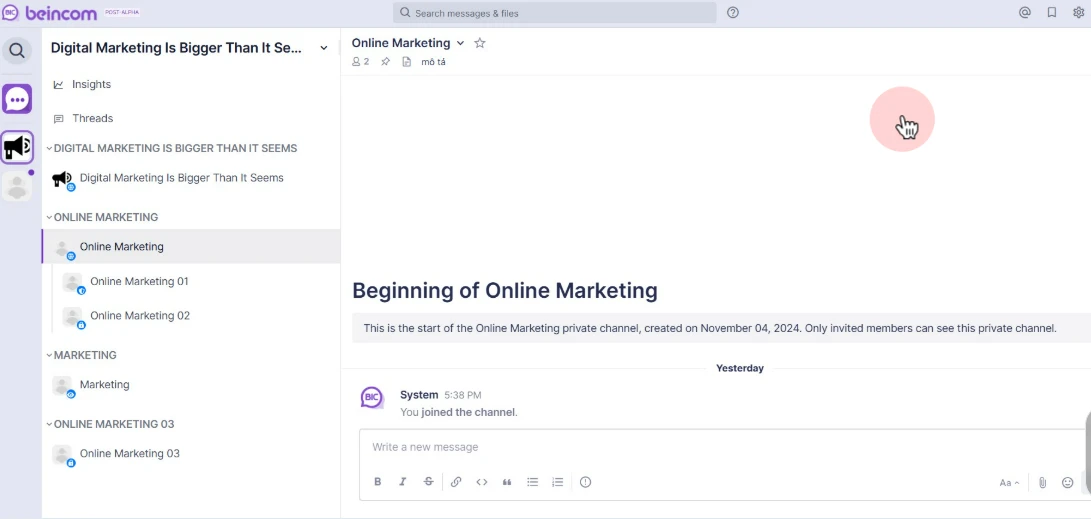
Once logged in, you will be taken to the BIC Chat page where you can chat with individuals or within your community.
Step 3: Explore BIC Chat features
On the BIC Chat page, you can:
- Chat 1-1 with other members.
- Join community channels you’re a member of.
- Create a new chat channel for a small team or specific project.
Now, you’re ready to connect and chat with the Beincom community on BIC Chat!

BIC Chat has launched a mobile app, allowing you to chat anytime, anywhere. Download the BIC Chat app available on App Store or Google Play to experience convenient and fast messaging features!